
Gym software · India
Gym Management Software in India: A Practical Demo Checklist
Take control of the sales demo with realistic gym scenarios, observable pass criteria and a score your staff can explain.
1. Prepare three real scenarios before the demo
A useful gym management software demo should follow your work, not the vendor's slide order. Before the call, write three fictional but realistic scenarios:
- a walk-in lead who buys a quarterly membership and pays partly by UPI;
- an existing member whose plan is frozen and later renewed; and
- a class member who books the last seat, cancels and exposes the waitlist workflow.
Use invented names and contact details. Never put a real member's personal or payment information into a vendor demo account. India's Digital Personal Data Protection Rules, 2025 page links the notified rules and phased enforcement timeline; check the current requirements and get qualified advice for your own processing.
Send the scenarios in advance and ask the presenter to use a product environment, not screenshots. Invite the front-desk or manager who will use the system. Their ability to finish a busy-hour task matters more than an owner's impression of the dashboard.
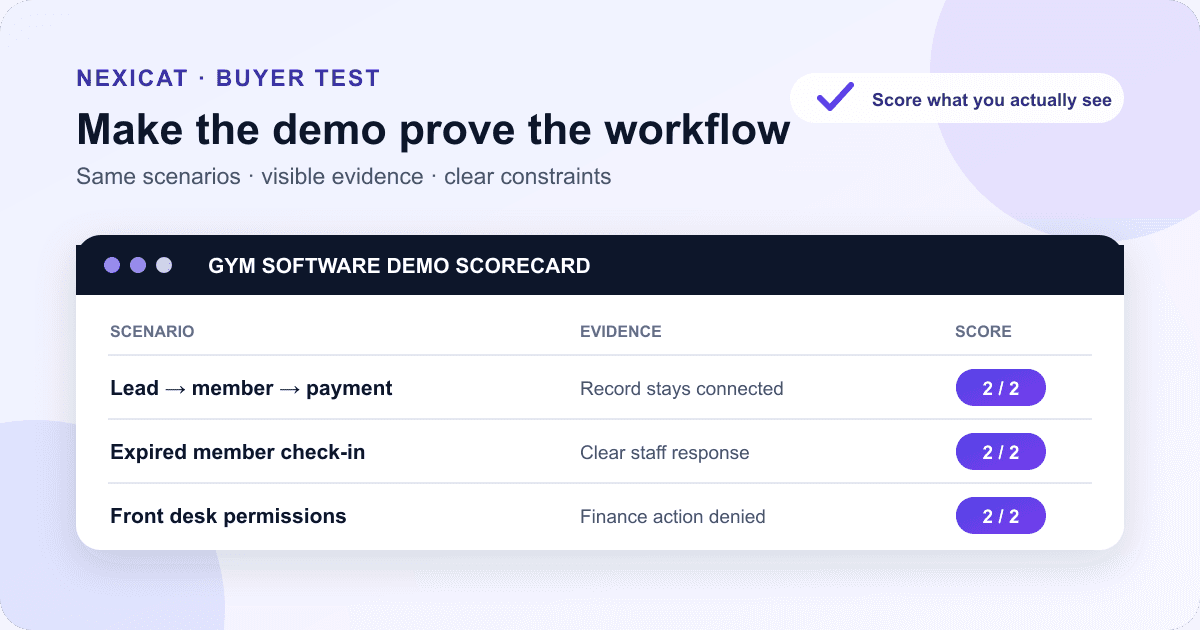
2. Score observable results, not promises
Create one row for each test and use a simple score:
0 — not demonstrated: the task was skipped, failed or exists only on a roadmap.
1 — demonstrated with a constraint: the task works, but needs a manual workaround, extra product, higher plan or vendor intervention.
2 — completed: your team can repeat the task in the offered setup and see the expected record.
Add four columns beside the score: evidence seen, constraint, plan or add-on required, and owner of the next answer. Mark non-negotiable gates separately. For example, restricted finance access, usable data export or correct membership dates may be pass/fail even when the total score looks good.
This score is a comparison aid, not an industry benchmark. Weight tests according to your gym model. A yoga studio may give class capacity more weight; a neighbourhood gym may prioritise renewals, dues and fast check-in.
3. Test the complete lead-to-member hand-off
Ask the presenter to create a lead with a source, owner, next action and follow-up date. Then book a trial or visit, update its status and convert the same record into a member. Check whether staff can still trace the original source and notes without copying information into another tool.
Observe what prevents duplicate follow-ups, how an overdue task becomes visible and who can reassign a lead when a staff member is absent. Open the report that attributes converted leads to a source, then ask what event counts as conversion.
If the vendor mentions WhatsApp, ask whether it opens a manual conversation or sends through the WhatsApp Business Platform, which messages need approved templates, how consent is recorded and how stop requests are honoured. The official WhatsApp Business Messaging Policy requires appropriate opt-in and respect for opt-out requests. Do not accept “WhatsApp integration” as a complete answer.
4. Create a membership, payment and receipt
Use the first scenario to create a member, assign the correct plan and start date, record the amount received and leave the intended balance outstanding. Then ask staff to find the membership expiry, invoice, transaction and receipt from the member profile.
Test cash and UPI as different payment methods. A payment screenshot is not the same as a confirmed transaction. NPCI's UPI frequently asked questions says merchants can check transaction status with their acquiring bank. Ask where a reference, pending state, reversal or correction is recorded and who can change it.
Do not use the demo to decide your GST or accounting treatment. Ask your accountant which invoice fields, tax settings, refunds, advances and reconciliation exports your business needs, then test those exact requirements. Record whether receipt and invoice downloads remain linked to the right member and transaction.
5. Check attendance during a front-desk rush
Time how many clear steps it takes to find and check in an active member. Test the normal method your branch expects to use, plus the fallback for a forgotten phone, damaged QR code or unavailable device.
Then test exceptions: a duplicate scan, an expired membership, a future-start plan and a frozen member. Ask what staff sees, whether the message is understandable and whether a manager can correct an error without deleting useful history.
Open the member's attendance history and the owner's daily view. Confirm that staff attendance and member attendance stay separate. Attendance records should answer who was recorded, at which branch, on what date and through which workflow; a colourful count alone does not prove the underlying visits are usable.
6. Renew, freeze and correct a membership
Use the second scenario to find an upcoming renewal, collect the chosen amount and start the next period on the intended date. Verify the effective expiry and the linked payment. Ask what happens when the member renews early, changes plan or has an approved freeze.
Freeze the membership for a defined period, inspect what the front desk and member can see, then unfreeze it. Test how the system protects against an impossible date or overlapping state. Finally, make a deliberate entry mistake and ask the presenter to show the correction path and resulting history.
Do not accept an automated reminder as proof of a renewal. The useful outcome is a confirmed membership period connected to a verified payment record. Use the gym renewal reminder workflow to prepare the statuses and exceptions you want demonstrated.
7. Test a class from both staff and member views
Create one class occurrence with a trainer, date, time and small capacity. From the member experience, book the last available seat, try another booking after capacity is reached, join the waitlist and cancel the original booking.
From the staff view, open the date-specific roster and update attended, no-show and cancelled states. Ask whether a seat is released automatically or requires staff action; watch the actual behaviour instead of assuming it from the word “waitlist”.
Check the member app or portal on a real supported device. Can a member see the correct plan, attendance and booking status without calling the front desk? Note which functions are included in the quoted plan and which depend on a separate app, configuration or release. The class no-show guide provides a fair policy framework for the workflow.
8. Prove permissions with two staff accounts
Ask for a front-desk role and a manager role. Sign in as each one and try the same actions: view member contact details, edit a payment, open owner reports, change settings and manage staff permissions. Record what is allowed and denied.
Ask how access is removed when an employee leaves, whether shared logins are necessary, how password reset works and which actions leave an audit trail. CERT-In's essential measures for MSMEs include stronger authentication and access control; use them as a baseline for questions, not as a certification of any vendor. Continue with the gym software data-security buyer checklist to test branch separation, sessions, recovery, incidents and data exit.
Do not ask the presenter to reveal another customer's data or production environment. A vendor's refusal to do so is a healthy boundary. Your test should prove tenant separation and role behaviour using the demo gym.
9. Trace reports, exports, migration and support
Pick two owner questions, such as “which memberships expire next week?” and “which invoices still have an outstanding amount?” Open the report, drill into one record and reconcile it with the scenario you created. Ask what filters, date definitions and statuses drive the total.
Export a permitted report and inspect the fields, date format and identifiers. Then ask separately how your existing member data is imported, how rejected rows are handled, which history can move and how you retrieve your data if you leave. Export capability does not prove import capability.
Create a harmless support question in the vendor's demonstrated process. Record support hours, escalation path, onboarding owner, training format and any response commitment in the contract rather than inferring it from a friendly demo. Use the Excel-to-gym-software migration guide for a deeper field-map and cutover test.
10. Run this test script in a Nexicat demo
Nexicat's current product code supports lead records and follow-ups, lead-to-member enrolment, member profiles, plans, renewals and freezes, invoices and payment transactions, manual and QR attendance, date-specific class rosters, bookings and waitlists, role permissions, operational reports, and member and staff mobile workflows.
The scoring system, fictional scenarios and pass criteria in this guide are editorial tools; they are not automated Nexicat features. Product availability can also depend on configuration and the offered plan, so confirm your exact requirements during the demo.
Bring this page and ask the presenter to complete the same scenarios without using real member data. Book a Nexicat demo, explore the full feature map, and compare the result with the broader 15-feature gym management software buying guide.
Bring this test script to a demo
Test Nexicat against the way your gym actually works.
Ask us to run your lead, member, payment, attendance, class, permission and reporting scenarios in the product. Leave with evidence and clear follow-up answers.
Questions gym owners ask
What should I ask in a gym management software demo?
Ask the vendor to complete your real workflows: lead to member, plan and payment, receipt, attendance exceptions, renewal and freeze, class booking, staff permissions, reports, data export and support. Record evidence, constraints and the plan required for every answer.
How long should a gym software demo take?
There is no universal duration. Reserve enough time to complete your critical scenarios and let a future user repeat at least one task. A short overview can screen vendors, but it should not replace a workflow test before purchase.
Should I use real member data during the demo?
No. Use fictional names, contact details, payments and notes in a demo environment. If a later migration test needs personal data, define the purpose, access, transfer method, retention and current legal requirements first.
How do I compare two gym software demos fairly?
Give both vendors the same scenarios and scoring rules. Separate pass/fail requirements from weighted preferences, record add-ons and workarounds, and compare the evidence your team actually saw rather than feature labels or roadmap promises.
About Nexicat Editorial. We write practical guides to gym operations and growth. Sources linked beside the relevant guidance were checked on 13 September 2026. The scenarios and scores are editorial evaluation tools, not legal, privacy or accounting advice, product guarantees, customer results or industry benchmarks.