
Class operations · India
How to Reduce Gym Class No-Shows: A Fair Policy for Indian Studios
Fill more of the places members already booked. Define cancellations and no-shows, release seats clearly, operate a fair waitlist and measure what changes.
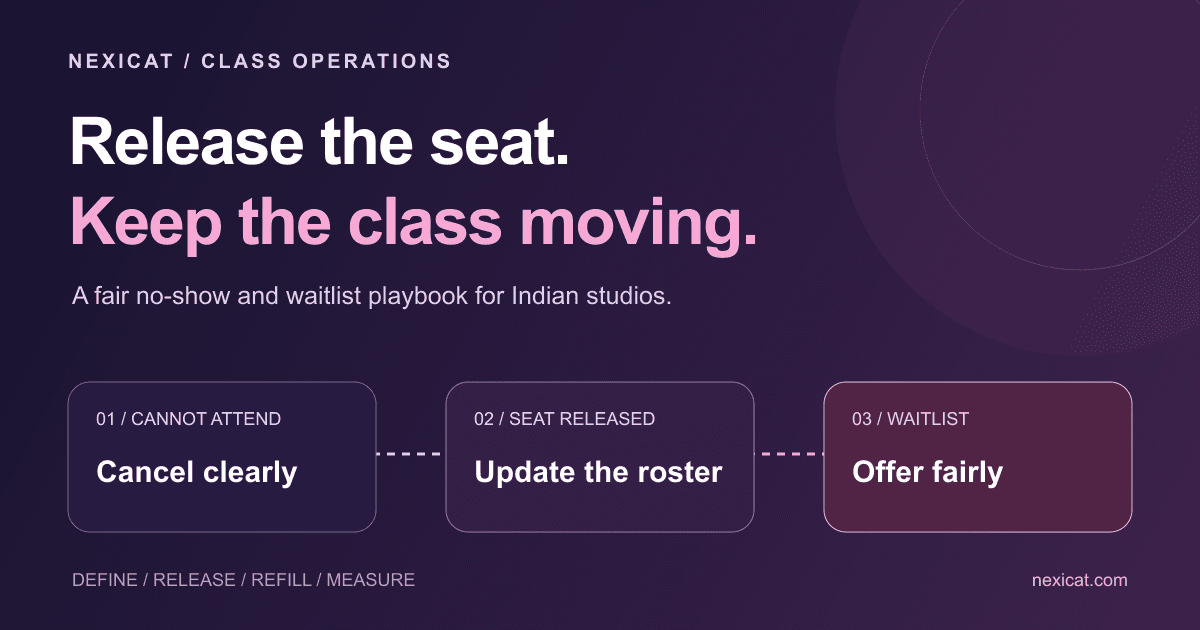
1. Define what counts as booked, cancelled and no-show
If the receptionist, coach and member use different definitions, the class report will be unreliable and disputes will feel personal. Write the definitions before choosing a penalty.
- Booked: the member has a confirmed place for a specific class date and time.
- Waitlisted: the class is full and the member does not yet have a place.
- Cancelled: a confirmed booking was released through the accepted cancellation route.
- Attended: the member arrived and the team recorded attendance.
- No-show: the member held a confirmed place but did not attend or cancel under the published rule.
Keep late cancellation separate when it matters to your policy. A person who releases a seat shortly before class is different from someone who never cancels, even if both affect capacity.
State which clock and start time apply. “Cancel at least four hours before the class shown in the app” is clearer than “cancel early”. Choose a window your members and front desk can actually use; this article does not claim one universal number is best.
The distinction matters in India when branches, trainers or members coordinate through multiple channels. Decide whether app cancellation is the source of truth and what staff should do when a member calls. A message to an individual trainer can be missed during a session, so publish an alternative that the front desk monitors.
2. Measure a baseline before changing the policy
Take four comparable weeks of class records if you have them. For every occurrence, capture capacity, confirmed bookings, cancellations before the window, late cancellations, attended members, no-shows and waitlisted members.
Use the same denominator each time. A simple show rate is attended bookings divided by confirmed bookings that reached the class start time. If your system replaces an early cancellation with a waitlisted member, count the final confirmed person rather than both people as one seat.
Worked example only: a class has 20 places. At the start time it has 18 confirmed bookings; 15 attend and 3 are marked no-show. Show rate is 15 ÷ 18 = 83.3%. Occupancy is 15 ÷ 20 = 75%. These figures answer different questions and are not Nexicat customer results or industry benchmarks.
Break the totals down by class, time and day, but protect member privacy. A Tuesday 6:00 am problem may need a different fix from a Saturday evening problem. Avoid publicly ranking members or coaches by no-shows.
3. Make releasing a seat easier than disappearing
Members sometimes no-show because cancelling requires a call during reception hours, or because they assume nobody needs the place. Give them a clear route to cancel the exact booking.
Show the class date, start time, branch and cancellation cut-off together. After cancellation, confirm that the place was released. Do not make a generic “cancel membership” action look like “cancel this class”.
Members should also see whether they are confirmed or waitlisted. A person on a waitlist should not travel to the studio believing they have a guaranteed spot. If they leave the waitlist, that action should not be treated as cancelling a confirmed booking.
Where messaging is used, link or point to the actual cancellation route instead of asking members to explain themselves. If you use WhatsApp for reminders, follow its current Business Messaging Policy: contact recipients only with the required permission and respect requests to stop. A booking reminder is not permission for unrelated promotions.
4. Design the waitlist hand-off, not just the queue
A waitlist has value only when an available seat reaches someone with enough time to attend. Decide how a released place is offered and when the process stops before class.
Use one ordered queue for the occurrence. When a seat opens, tell the next member the class, branch, date and time; say whether the place is already confirmed or requires acceptance. If acceptance is required, state the response deadline and what happens after it.
Example offer message:
Hi [Name], a place is available in [Class] at [Branch] on [date] at [time]. It is held for you until [deadline]. Confirm through [actual route] if you can attend. If you do not confirm by then, we will offer it to the next person. Reply STOP if you do not want these updates.
This is editorial wording, not a pre-approved messaging-platform template or a claim that Nexicat sends it automatically.
Do not promote someone after your practical cut-off and then penalise them for missing a class they had little chance to reach. Keep a record of when the place was offered and accepted. If the same class has a waitlist every week, review capacity, timetable or an additional session rather than treating the queue as success.
5. Write a fair cancellation and no-show policy
A good policy protects scarce class capacity and gives members a reasonable way to change plans. It should be visible before booking, not revealed only after a missed class.
Publish these details:
- the cancellation window and accepted route;
- what counts as a late cancellation and a no-show;
- whether class credits, fees or temporary booking limits can apply;
- how members can report an emergency or a system error;
- whether waitlist promotions follow a different cut-off;
- how to ask for a review of an incorrect status.
Start with a warning or conversation before a stronger consequence, especially while introducing the policy. Apply the same written rule to similar cases. Record approved exceptions so the next staff member does not reverse the decision accidentally.
Indian operators use different policies. For example, Cult.fit publishes its own group-class no-show rules, while The Space Fitness publishes separate early-cancellation, late-cancellation and no-show terms. These are examples of transparent definitions, not legal templates or recommendations to copy their windows or penalties.
Have your own terms reviewed for your plans, consumer obligations and local operations before charging a fee or deducting value. Tell members the total consequence in plain language. Never invent a penalty at reception because the class happened to be full.
6. Give the front desk a session-closing checklist
A no-show report is only as good as the roster update. Give one person responsibility for closing each occurrence soon after it ends.
- Open the roster for the correct class date and branch.
- Mark people who attended from the check-in or coach record.
- Confirm cancellations already recorded before assigning no-show status.
- Resolve obvious duplicate bookings or staff errors.
- Mark remaining confirmed absences according to the published definition.
- Record an approved exception without adding sensitive personal detail.
Do not leave every unused booking as “booked”. That inflates demand and hides the difference between an actual no-show and incomplete administration.
When a member challenges a status, check the booking, cancellation timestamp and class occurrence. Correct errors promptly. If a payment or class credit is involved, preserve an audit trail rather than silently changing unrelated transactions.
7. Run a four-week operational test
Use one branch or one class category first. Four weeks is an observation window, not a promise that no-shows will fall.
Week 1: publish definitions and make the cancellation route clear. Brief reception and coaches on the same statuses.
Week 2: add an appropriate booking reminder for members who have consented to that channel. Ask them to cancel through the real route when plans change. Do not mix the reminder with unrelated offers.
Week 3: operate the waitlist hand-off and record offer, confirmation and expiry times. Check whether promoted members have enough notice.
Week 4: compare show rate, occupancy, early and late cancellations, no-shows, waitlist offers and complaints with the baseline. Review individual class times rather than relying only on a branch-wide average.
Do not change the window, reminder timing and consequence every few days. If several things change at once, you will not know which part helped. Collect member and staff feedback: a lower no-show count is not a win if people stop booking because the rules are confusing.
How Nexicat supports class booking operations
Nexicat’s class booking and scheduling tools support class capacity, date and time management, occurrence changes, rosters and booking statuses including booked, waitlisted, attended, no-show and cancelled. Members can browse schedules, book, join a waitlist and cancel a booking in the member mobile workflow.
Owners and staff can use the roster for a specific class date, update booking status, and reschedule or cancel an occurrence. That gives the team the operational record needed for the checklist above.
During a demo, ask to test a real scenario:
- create a class with a limited capacity;
- fill it and place another member on the waitlist;
- cancel one confirmed booking and inspect the resulting availability;
- close the roster with attended and no-show statuses;
- reschedule or cancel one occurrence without changing every future class.
This article does not promise automatic waitlist promotion, automated reminders, policy enforcement or a reduction in no-shows. Confirm the exact workflow and integrations available to your gym. For the broader selection process, see our gym management software buying checklist.
The best first step is operational: publish one understandable rule, make cancellation easy, and close every roster accurately. Then use the data to decide what your members and timetable actually need.
Bring a real class scenario to a demo
Run a clearer class booking workflow.
See how Nexicat manages class capacity, date-specific rosters, waitlists and booking statuses. Test your cancellation-to-waitlist scenario with us.
Questions gym owners ask
What is a gym class no-show?
A practical definition is a member who held a confirmed place but did not attend or cancel under the gym’s published rule. Keep it separate from a waitlisted member, an early cancellation and, where relevant, a late cancellation.
How long should the class cancellation window be?
There is no universal window. Choose one that leaves enough time to offer the seat while remaining realistic for your class type, location and members. Publish the exact cut-off and test it before adding stronger consequences.
Should a gym charge for every no-show?
A fee is only one policy option. Consider warnings, class-credit treatment or temporary booking limits, and define exceptions and review routes. Publish the rule before booking and obtain appropriate advice for your terms and local obligations.
Does Nexicat automatically move the next person from a waitlist?
This guide does not claim automatic waitlist promotion. Nexicat supports capacity, booking and waitlist records, member booking and cancellation, date-specific rosters and status updates. Confirm the exact hand-off and notification workflow during a demo.
About Nexicat Editorial. We write practical guides to gym operations and growth. Sources linked beside the relevant guidance were checked on 3 September 2026. Policy examples and numerical calculations are editorial illustrations, not legal advice, customer results or guaranteed improvements.