
Gym finance controls · India
Gym Expense Management Software in India: A Control Guide
Create an accountable path from expense request to approval, verified payout and owner review—while keeping tax and accounting boundaries clear.
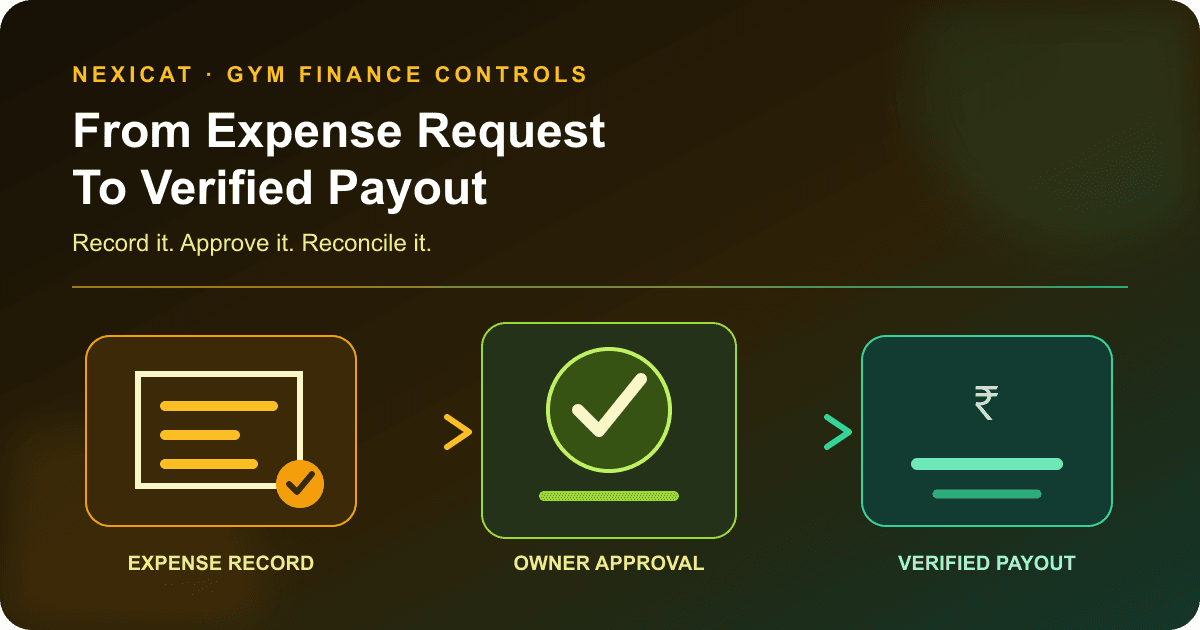
1. Separate the expense, approval and payment
A useful expense workflow keeps three events distinct:
- Expense record: what the gym expects to spend, for which purpose, branch and payee.
- Approval: an authorised decision that the spend is valid and may proceed.
- Payment: evidence that money actually left through cash, UPI, bank transfer or another method.
Creating an expense does not prove it was approved. Approval does not prove the vendor was paid. A payment screenshot without the underlying purpose and approver is also incomplete.
This separation lets an owner see committed, approved and paid amounts without calling every open item “cash outflow.” It also prevents a cancelled request from quietly remaining in the paid total. Gym software should support the operating trail; it does not replace the gym's accounting records or professional advice.
2. Capture a minimum useful expense record
Require the same core fields before an item enters the queue:
- branch and expense date;
- business purpose and category;
- amount and currency;
- vendor, staff member or other payee reference;
- due date where payment is expected later;
- source document or authorised explanation;
- requester and approval owner; and
- status plus the date of every status change.
Use a stable expense number so the software record, bill, payout and accountant's file can be reconciled. Keep personal purchases out of the gym ledger unless a documented reimbursement policy applies.
Do not force every detail into free-text notes. A consistent category, status, branch and date are what make later filtering and review possible.
3. Use a category list that staff can apply consistently
Start with a small controlled list such as rent, utilities, supplies, inventory, marketing, salary, trainer commission, refunds and other. Write one sentence defining each category and give common examples.
Avoid using “other” as the default. Review its entries monthly and add a category only when it supports a real decision. Keep capital equipment, stock purchases, refunds and payroll visible as separate concepts even if the accountant later maps them differently.
Category consistency matters more than an elaborate chart. If one branch records cleaning materials as supplies and another uses utilities, branch comparisons become misleading. The software category is an operational classification, not automatically the accountant's ledger account or tax treatment.
4. Make the status workflow enforce responsibility
Use an explicit sequence:
- Pending: captured and awaiting review.
- Approved: authorised for payment.
- Paid: payout completed and reconciled.
- Cancelled: rejected, duplicated or no longer required.
Define who can create, approve, pay and cancel. For material or staff-linked expenses, avoid letting one person request, approve and mark the same item paid without review. Set thresholds and exceptions according to the gym's size and risk.
Do not edit a paid item into a different expense merely to correct a mistake. Preserve the original trail and use the gym's authorised correction process. Nexicat's current generic expense model makes paid and cancelled statuses terminal, while its web workflow guides pending items through approval before payment. Confirm permissions and exception handling for your offered setup.
5. Link the record to supporting evidence
The approver should be able to answer: what was supplied, who supplied it, which branch received it, what amount is due and whether the same document was already used.
Keep the vendor bill, receipt, contract, approval note or other appropriate document under the gym's record policy. Match its date, vendor, amount and reference to the software entry. If evidence is unavailable, record the approved exception rather than inventing a document number.
CBIC's official GST accounts and records rules describe records and supporting documents that registered persons may need to maintain, including invoices, bills of supply, payment vouchers and related registers. ICAI's Technical Guide on Internal Audit of Retail Industry also illustrates why authorised expenditure, documentation and a defined expense policy matter as internal controls. The guide is professional guidance, not a rule that automatically governs every gym.
Requirements depend on the gym's registration, transaction and facts. Ask the gym's accountant which documents, fields and retention periods apply; Nexicat does not make an expense tax-compliant or audit-compliant by itself.
6. Keep vendor, payroll, refund and inventory flows distinct
Not every outgoing amount follows the same control:
- Vendor expense: connect the payee, purpose, due date and bill.
- Salary or trainer commission: use the payroll calculation, period and staff approval trail.
- Member refund: link it to the original invoice, payment and approved refund reason.
- Inventory purchase or adjustment: connect the expense to stock movement and receiving evidence.
Do not create a generic “other expense” when a dedicated workflow already owns the amount. That can duplicate costs or break the operational trail.
Nexicat links payroll, commission, refunds and inventory to expense categories in the current backend. Payroll amounts have dedicated adjustment and permission-aware flows, and expense records can carry a vendor or staff reference. This does not establish supplier purchasing, employee reimbursement or accounts-payable automation; confirm those needs separately.
7. Reconcile paid expenses to the actual payout
At close, compare every item marked paid with the authorised cash record, bank statement, UPI transaction or other settlement evidence. Match amount, date, method, payee and reference.
Investigate:
- approved items with no payout;
- bank or cash payouts with no expense record;
- duplicates with the same payee, amount and date;
- partial or failed transfers marked fully paid;
- cash advances that lack final evidence; and
- payments recorded at the wrong branch or period.
Do not mark an item paid merely because staff initiated a transfer. Record the final result after the responsible person verifies it. The gym billing software guide applies the same discipline to member collections and refunds.
8. Review expenses without calling the result profit
An owner review can show paid, approved, pending, cancelled and overdue open amounts by category and branch. Compare the same date rule and status rule each period.
Ask practical questions: Which approved items remain unpaid? Which categories changed materially? Are recurring costs missing? Do branches classify the same spend consistently? Can every large or unusual item be traced to evidence and an approver?
Operational net movement = verified collections − verified paid operating expenses can be useful for a defined period, but it is not automatically accounting profit, taxable income or cash-flow reporting. Accruals, depreciation, tax, capital purchases, advances and other treatments may differ. Use the gym software ROI guide for investment decisions and let the accountant define the books.
9. Use Nexicat expense records as operational evidence
Nexicat's current expense model supports branch-scoped records with category, amount, status, expense number, vendor or staff reference, due and paid dates, notes and linked payout transactions. Verified categories include refunds, trainer commission, rent, salary, utilities, supplies, inventory, marketing and other.
The expense detail workflow exposes pending, approved, paid and cancelled states and a payout trail. The Expense Outflow & Category Analysis report separates paid, approved, pending, cancelled and overdue open amounts and provides category and detail views for a selected branch and date range.
These are operational finance records. This article does not claim bank-feed reconciliation, purchase orders, three-way matching, budget enforcement, general-ledger posting, GST return filing, receipt OCR, supplier portals or accountant-approved profit reporting. Ask Nexicat to demonstrate any required integration or plan-specific capability.
10. Run an expense-control demo with fictional records
Prepare five fictional items: rent due next week, a utility bill, a marketing invoice, a trainer commission generated by the approved payroll flow and a duplicate supplies request. Ask Nexicat to:
- create a branch-scoped expense with required fields;
- show who can view and approve it;
- move a pending item through approval and verified payment;
- cancel the duplicate without deleting the evidence;
- link a vendor or staff context where supported;
- open the payout transaction trail;
- prove that paid and cancelled records cannot be reopened casually;
- filter expenses by date, category and status;
- export the expense outflow report and reconcile its totals; and
- label accounting, tax, bank and document workflows that remain outside the product.
Use fictional data and make no payout during the demo. Explore Nexicat sales and finance features or book a Nexicat demo with this control scenario.
Test the finance controls
Bring five fictional expenses and test the control trail.
Use fictional rent, utility, marketing, commission and duplicate-supplies records to test roles, approvals, payment evidence and reporting without moving money.
Gym expense software questions
What is gym expense management software?
It records gym operating expenses by branch, purpose, category, payee, amount and status, then supports review and reporting. A strong workflow keeps creation, approval and actual payment separate and preserves evidence for reconciliation.
Which expense categories should a gym track?
A practical starting list includes rent, utilities, supplies, inventory, marketing, salaries, trainer commissions, member refunds and other. Define each category consistently and let the accountant map operational categories to the formal books.
Is gym expense tracking the same as accounting software?
No. Operational expense tracking can support source records, approvals, payouts and reports, but full accounting may require a general ledger, bank reconciliation, accruals, depreciation, tax treatment and statutory reporting. Confirm integration and accountant requirements separately.
Can gym software calculate profit from sales minus expenses?
It can present an operational difference when the included records and date rules are defined, but that is not automatically accounting profit or taxable income. Verify completeness and treatment with the gym's accountant.
What expense features does Nexicat currently support?
Reviewed code supports branch-scoped expense records, categories, vendor or staff references, due and paid dates, pending/approved/paid/cancelled states, linked payout transactions and an expense outflow report. This article does not claim bank feeds, purchase orders, OCR, GST filing or general-ledger automation.
About Nexicat Editorial. We write practical guides to gym operations and software evaluation. Sources linked beside the relevant guidance were checked on 22 October 2026. This guide provides general operational information, not accounting, tax, audit, legal or financial advice. Products and requirements change; verify the offered workflow with Nexicat and the gym’s accountant.