
Member retention · India
Gym Member Retention Software in India: An Action Guide
Turn attendance gaps and renewal dates into a respectful, measurable member follow-up process without pretending that software can predict every departure.
1. Define retention before looking for at-risk members
Retention is not one dashboard number. Decide which business event matters: a member still has a valid plan, returns after an absence, completes a renewal, or remains in a fixed cohort at a later date. These questions use different denominators.
Write the definition, branch, membership types, dates, exclusions and cut-off before reviewing a result. Keep approved freezes, future-start plans, cancelled records and test accounts visible instead of quietly classifying them as lost.
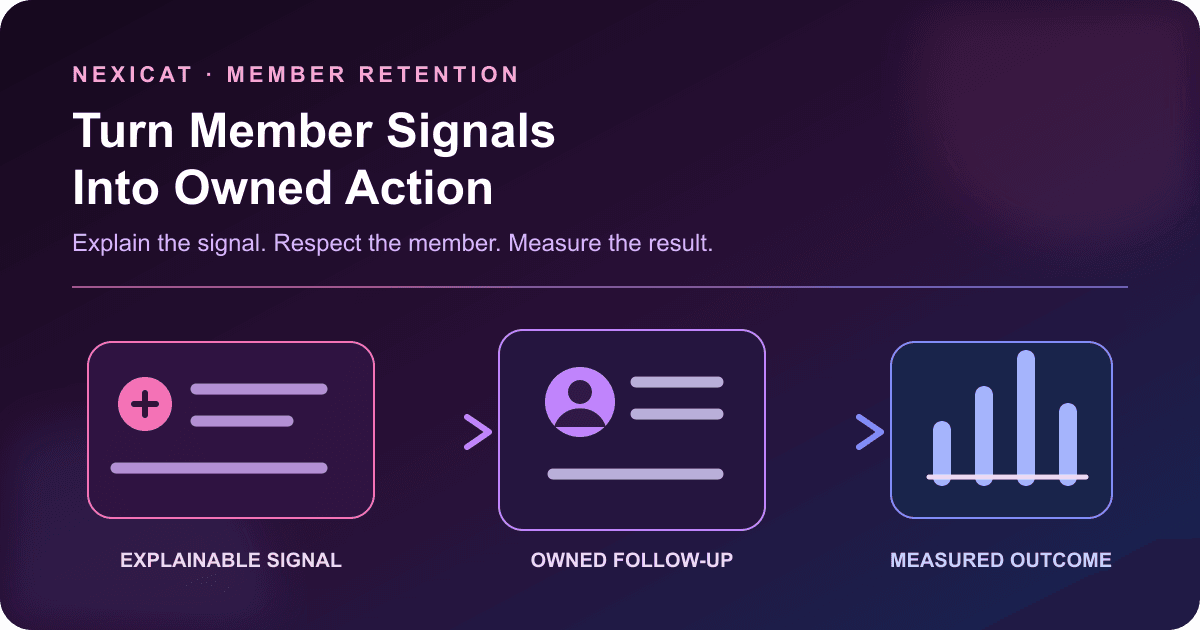
Do not label a member “likely to quit” merely because they missed visits. Attendance can prompt a considerate check, but it does not reveal health, travel, work, satisfaction or intent. A useful retention system makes an explainable signal visible and gives staff a controlled next action; it does not diagnose the person.
2. Start with an eligible member cohort
Create the population before creating an alert. For an absence review, that might be members whose plans were active throughout the observation window and who could use the selected branch. For a renewal review, use memberships with an effective end date in the same period.
Exclude or label future starts, approved freezes, recorded cancellations, branch restrictions and memberships that were never renewable. Keep inactive membership status separate from no recent attendance: a member can hold a valid plan and not visit, while an expired member may have visited recently.
This prevents a common reporting error—dividing a convenient outcome by every member ever created. The gym KPI guide provides fixed-cohort renewal and participation formulas for the owner scorecard.
3. Use explainable signals instead of a mystery risk score
Choose a small set of signals that staff can verify:
- days since the last recorded visit, including “never visited”;
- membership end date and renewal status;
- active, frozen or inactive membership state;
- assigned trainer or missing owner;
- unresolved balance when it is relevant to the conversation; and
- previous contact and agreed next step, where recorded.
Select an absence window that fits the gym's service and plan. A daily-access gym, weekly class programme and personal-training package should not share one arbitrary threshold. Run several windows as operating queues, not as universal churn predictions.
Check data quality first. A scanner outage, missed manual entries or use of another branch can create a false absence. Open the underlying attendance and membership records before contacting the member.
4. Triage the queue before contacting anyone
Split the follow-up list into clear cases. A practical order is:
- valid membership with an unexplained attendance gap;
- newly joined member who has never recorded a visit;
- approved freeze or known temporary absence;
- renewal approaching or overdue;
- expired, cancelled or inactive membership; and
- record-quality exception that staff must fix first.
Each case needs a different action. A frozen member should not receive a “we miss you” message that ignores the agreed pause. An overdue balance should not be disguised as a wellness check. A member with a data error should not be blamed for the gym's missing record.
Assign one owner, a due date and a permitted outcome for each case. Keep trainers focused on service conversations and financial details restricted to authorised staff.
5. Make the first contact useful and respectful
The goal of a retention contact is to understand the next appropriate step, not force a renewal. Give staff a short structure:
- identify the gym and staff member;
- refer to the member's plan or agreed service without revealing sensitive details;
- ask an open question about whether help is needed;
- offer a relevant next step such as a schedule review, trainer conversation, freeze review or renewal discussion; and
- record the outcome and any requested communication preference.
Do not invent urgency, medical advice or a personal reason for the absence. Avoid repeated calls from different employees. If the member asks not to receive marketing or promotional contact, route that request through the gym's approved process.
The official WhatsApp Business Messaging Policy requires businesses using the platform to follow opt-in and opt-out requirements. MeitY's explanatory note to the Digital Personal Data Protection Rules, 2025 also describes understandable notices, consent management and withdrawal. Confirm the legal and channel rules for your exact use; this article makes no compliance conclusion and does not claim automatic Nexicat WhatsApp delivery.
6. Fix service friction before offering a discount
A discount cannot solve every reason for disengagement. Record the member's stated outcome in neutral categories such as schedule mismatch, class availability, trainer hand-off, facility issue, temporary absence, financial constraint, moved location, health-related pause, not interested or unreachable.
Do not ask staff to record unnecessary health detail. When a member raises a safety, medical or complaint issue, follow the gym's escalation policy rather than turning it into a sales note.
Choose an action that matches the recorded problem: clarify the membership, review available timings, assign the responsible manager, correct the record, process an approved freeze or close the case respectfully. Use an offer only when authorised and relevant. Track the offer as a separate action so the gym does not assume the message itself caused a later return.
7. Run a shared queue, not personal reminder lists
Every follow-up item should show the member, signal date, current membership context, owner, due date, last action, outcome and next step. Use named staff accounts and branch-appropriate access.
Close an item with a specific result: returned, renewal completed, appointment agreed, freeze confirmed, follow-up scheduled, declined, unreachable after the approved attempt limit, opted out, or record corrected. “Done” does not explain what happened.
Review overdue items at shift handover. Reassign work when a staff member is absent or leaves. Keep the source report unchanged where possible and record action separately; silently changing a last-visit date or membership state to remove a member from the queue damages the evidence.
8. Measure outcomes with fixed denominators
Use a fixed eligible group and a stated follow-up cut-off. Useful measures include:
Contact rate = members reached ÷ eligible members assigned
Return-to-visit rate = contacted eligible members with a valid later visit ÷ contacted eligible members
Renewal completion = confirmed renewals ÷ renewable memberships due
Also show opt-outs, record corrections and unresolved cases. Do not remove difficult outcomes from the denominator. Compare cohorts with equivalent absence windows, plan types and follow-up time.
An active-member percentage is a current status snapshot, not automatically a retention rate. A visit after contact shows sequence, not causation. Record concurrent changes such as campaigns, pricing, trainer changes or new classes, and avoid claiming that software retained a member without stronger evidence.
9. Build an evidence-based retention workflow in Nexicat
Nexicat's current reports include an Inactive & At-Risk Clients export with absence window, client status and trainer-assignment filters; an Inactive Member Follow-up export for active members without recent check-ins; and a Membership Renewal Pipeline with plan, renewal status, dates, last visit and outstanding context.
The campaign workflow supports selected members and filters such as membership status, plan and renewal dates, with audience preview for the configured channel. Use that only after the gym confirms the audience and communication basis. The source code does not establish automatic churn prediction, automatic outreach triggered by inactivity, universal WhatsApp delivery or a guaranteed retention result.
Keep the attendance workflow accurate, review membership lifecycle states, and use member and attendance features to connect the signal to the underlying record.
10. Test a retention scenario in a Nexicat demo
Bring fictional members representing an active recent visitor, active absent member, never-visited new joiner, approved freeze, upcoming renewal, expired plan and missing attendance record. Ask Nexicat to:
- explain the eligible population and absence-window definition;
- show last visit, membership state, renewal date and trainer context;
- trace each total to the fictional member record;
- separate a frozen member from an unexplained absence;
- restrict finance and contact information to the right roles;
- assign an owner and record a neutral outcome using the available workflow;
- build a reviewed member audience without contacting anyone;
- show what the product cannot automate or infer;
- export a fixed cohort for later outcome measurement; and
- reconcile a return visit or renewal with the source record.
No messages need to be sent during the demo. Book a Nexicat demo and score the evidence, claim boundaries and staff workflow before deciding whether the system fits your retention process.
Test the retention workflow
Bring seven fictional member states and test the whole queue.
Use fictional records to test eligibility, inactivity signals, role access, staff ownership, reviewed audiences and outcome measurement without sending a message.
Member retention software questions
What is gym member retention software?
It connects membership, attendance, renewal and follow-up records so authorised staff can identify an explainable action queue and measure outcomes. It should not treat every absence as churn or replace a clear cohort definition and human judgement.
How can a gym identify inactive members?
Start with members who were eligible to attend during a defined window, then calculate days since their last valid recorded visit. Separate never-visited, frozen, expired, wrong-branch and data-quality cases before contacting anyone.
What is a good inactivity threshold for a gym?
There is no universal threshold. Choose windows that match plan type and expected service frequency, then test false positives. A daily-access gym, weekly class and PT package need different review logic.
Can gym software predict which members will leave?
Some products market predictive scoring, but buyers should ask for definitions, data inputs, validation, error handling and human review. The verified Nexicat workflow in this article uses explainable attendance, membership, renewal and trainer context; no automatic churn prediction is claimed.
Does Nexicat automatically message inactive members?
This article makes no automatic inactivity-triggered messaging or universal WhatsApp claim. Current code supports inactive and renewal reports plus reviewed campaign audiences and configured channels. Confirm plan, channel, consent, delivery and workflow details directly with Nexicat.
About Nexicat Editorial. We write practical guides to gym operations and software evaluation. Sources linked beside the relevant guidance were checked on 18 October 2026. This guide provides general operational information, not legal, privacy, medical, financial or marketing-compliance advice. Products, channel rules and requirements change; verify the offered workflow with Nexicat and relevant advisers.