
Gym attendance software · India
Gym Attendance Software in India: QR, Manual or Biometric?
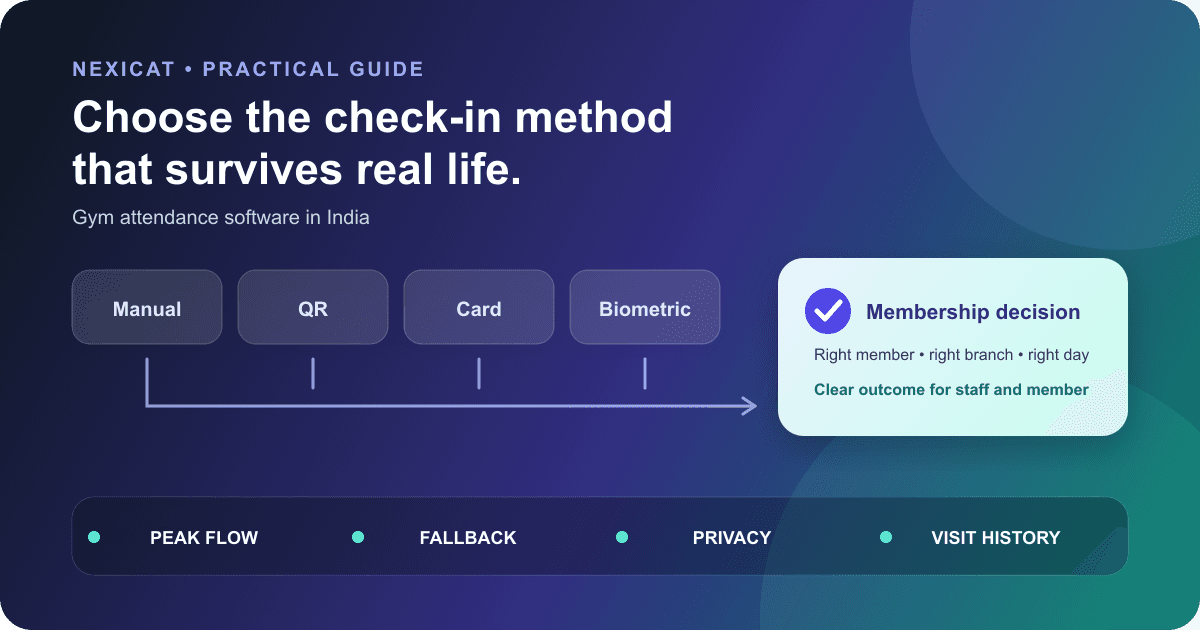
Choose a check-in method that validates the right membership, handles peak-hour exceptions, preserves privacy and leaves an explainable attendance record.
1. Separate attendance from physical access control
Attendance software records that a member checked in. Access control decides whether a door, turnstile or gate opens. They may be connected, but they are not the same system.
A front desk can record attendance without operating a door. A biometric terminal can identify a person without proving that the membership record, freeze, branch or class booking is valid. Write the required outcome before comparing products:
- record visits for member history and reports;
- validate gym-service eligibility at check-in;
- control an unattended entrance;
- record class attendance against a booking; or
- track staff check-in and check-out.
This distinction prevents a gym from buying attendance hardware when it mainly needs a reliable member record, or buying a QR screen when it actually needs certified physical-security integration.
2. Compare check-in methods against the entrance
Evaluate each method with the same entrance conditions:
- Staff-assisted manual: useful for a staffed desk and manageable arrival flow. Test how quickly staff find the correct member and what prevents duplicates.
- Branch QR scanned by member: useful when members have compatible phones and the entrance can display a current code. Test branch/date validity and the no-camera or no-data fallback.
- Member QR scanned by staff: useful when staff control entry and members can show a digital card. Test how shared screenshots and unavailable phones are handled.
- RFID or barcode: useful when the gym wants a physical credential. Confirm who issues, replaces and disables it and which readers are supported.
- Biometric: relevant only when the gym has a justified identity and access requirement. Establish what data is captured, where it is stored and what alternative exists.
There is no universally best method. Choose the smallest setup that handles peak arrivals, exceptions and the gym's actual security requirement.
3. Test the membership decision behind the scan
A successful scan should not automatically mean valid access. Ask what the system checks before recording the visit: correct gym and branch, active member, current membership period, freeze state, cancellation or other approved restriction.
Prepare test members with these states:
- active and valid today;
- expired yesterday;
- starts tomorrow;
- currently frozen;
- cancelled or inactive; and
- active at another branch where cross-branch access is not approved.
Record the expected outcome and staff action for each case. A clear refusal should explain enough for authorised staff to resolve the issue without exposing sensitive account details at the entrance.
Nexicat's current attendance service applies its membership-access policy before recording a member check-in. Confirm your membership rules and configuration during a demo rather than assuming every vendor uses the same eligibility logic.
4. Define duplicate, date and time rules
Attendance records need one business timezone and a written duplicate rule. A phone's local date should not decide which gym day receives a visit.
Ask whether the system allows one check-in per day, multiple entry sessions, check-out and re-entry, or class-specific attendance. Then test a second scan immediately, a visit close to midnight, a device with the wrong clock and a check-out that occurs before the recorded check-in.
Nexicat derives the gym business date on the server and rejects a second member check-in for the same gym, branch and day. It also supports check-out with sequence checks. Those are current product behaviours, not recommendations that every gym should use one visit per day. Define the policy your operation needs.
5. Run a peak-hour queue test
Do not accept a vendor's fastest-check-in claim as a planning number. Test the workflow at the branch with the actual desk layout, network, staff and member devices.
Use a short scenario queue: valid member, expired member, duplicate scan, member without a phone, unreadable screen, wrong branch and staff override request. Observe where the queue stops and whether the next member can proceed while an exception is handled.
Measure your own completion time and error count, but do not optimise only for speed. A fast false acceptance or duplicate record creates work later. The useful outcome is a consistent decision that staff and members understand.
6. Design the fallback before go-live
Every method needs an approved fallback for a device, camera, network, power or integration failure. Write who can use it, what they must verify and how the event is reconciled later.
A staffed gym may use an authorised manual check-in after confirming the member record. An unattended access setup needs a different risk decision and escalation path; a handwritten sheet beside an unlocked door is not an equivalent fallback.
Keep a brief exception log during the first weeks: time, method, failure type, resolution and whether the final attendance record is correct. Fix recurring causes instead of normalising permanent workarounds. Use the daily gym operations checklist to connect this process to shift handover and closing.
7. Treat biometric data as a separate decision
Fingerprint, face or palm systems require more than a hardware-price comparison. Document why the gym needs the method, which data or template is captured, who controls it, where it is stored, how it is protected, how long it is retained, how deletion works and what non-biometric alternative is available.
MeitY's official Digital Personal Data Protection Rules, 2025 page is a starting point for the notified rules and phased timeline. Obtain qualified privacy and legal advice for the chosen setup; this guide does not decide whether a particular biometric deployment is lawful.
Apply basic security discipline to every method: named administrative access, prompt staff offboarding, supported devices, updates, protected exports and tested recovery. A QR system also deserves review; do not print a permanent code or expose a reusable credential without understanding how the product validates it.
8. Make the attendance history explainable
A useful record includes the member, gym, branch, gym-local date, check-in time, optional check-out time and relevant class link. Staff should be able to open the member history and explain why a date appears.
Define how authorised corrections work. Preserve enough context to distinguish an original scan, staff-assisted record and later correction where the product supports it. Do not silently create visits to improve an engagement metric.
Attendance is evidence of recorded visits, not exercise quality, satisfaction or guaranteed retention. Review missing patterns as a prompt for a considerate check, not a diagnosis. The gym KPI guide shows how to define visit frequency and participation without turning them into unsupported benchmarks.
9. Use a ten-minute attendance demo test
Ask the vendor to demonstrate, with fictional records:
- a valid member check-in;
- an expired or frozen member;
- a duplicate attempt;
- a wrong-branch or expired QR;
- the no-phone or scanner-failure fallback;
- check-out if your gym uses it;
- the member's monthly history;
- the manager's daily or footfall view; and
- a correction with the right role restriction.
If hardware is involved, require the exact model, connection method, installation owner, support boundary and failure process in writing. “Biometric supported” is incomplete without compatible devices and an end-to-end demonstration.
Use the wider gym management software demo checklist for membership, billing, CRM, classes, permissions, reporting and data questions.
10. Test Nexicat's manual and QR attendance flows
Nexicat's current product supports staff-assisted member check-in, a member scanning a date-specific branch QR, staff scanning a member QR, member and staff check-in/check-out workflows, monthly member attendance history and attendance reporting. Current backend checks include gym/branch relationships, QR validity, gym-local business date, membership access and duplicate daily attendance.
Nexicat does not claim biometric, RFID, turnstile or offline attendance integration in this article. If your gym requires those systems, confirm current compatibility and the complete vendor responsibility before purchase.
Explore member and staff attendance or book a Nexicat demo. Bring the six membership-state records and exception queue from this guide so the session tests your entrance rather than showing only a successful scan.
Test the entrance, not only the scan
See how Nexicat handles gym attendance.
Bring active, expired, future, frozen and wrong-branch member scenarios. Test manual and QR check-in, duplicates, fallback, history and reporting.
Gym attendance questions
What is gym attendance software?
Gym attendance software records member or staff check-ins and can connect visits to membership, branch, class and reporting records. It may use manual, QR, card or biometric input, but attendance recording and physical door control are separate requirements.
Is QR or biometric attendance better for a gym?
Neither is universally better. Compare peak flow, identity risk, membership checks, device and network failure, hardware support, privacy requirements, member alternatives and total operating responsibility. Test the exact branch workflow before choosing.
Should expired or frozen members be able to check in?
The gym should define its approved access policy and test those states explicitly. Attendance software should produce a clear outcome based on the configured membership rules and provide an authorised resolution path for exceptions.
Does Nexicat support biometric gym attendance?
This article makes no biometric integration claim. Nexicat's current verified flows cover manual and QR attendance, member and staff workflows, duplicate/date checks, attendance history and reports. Confirm any additional hardware requirement directly in a demo.
About Nexicat Editorial. We write practical guides to gym operations and growth. Sources linked beside the relevant guidance were checked on 26 September 2026. This guide provides general operational information, not physical-security, privacy or legal advice. Product, hardware and data-protection requirements can change. Verify the setup with relevant specialists and qualified advisers.