
Multi-branch gym software · India
Multi-Branch Gym Management Software in India: A Control Checklist
Build one operating model across locations while keeping members, staff, money, attendance, classes and stock tied to the correct branch.
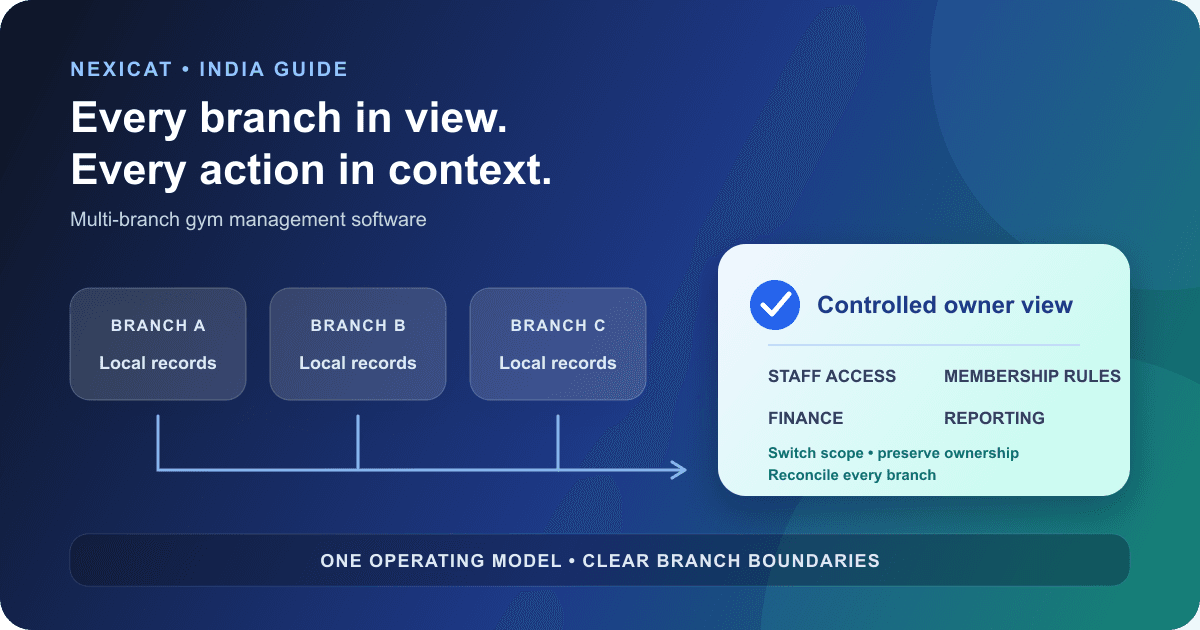
1. Define what must be shared and what must stay branch-specific
Multi-branch gym management software should create one operating model without turning every location into the same undifferentiated record. Start with three layers:
- Gym-wide rules: naming standards, approved roles, payment methods, metric definitions and data-handling policy.
- Branch operations: members, staff assignments, enquiries, attendance, classes, sales and stock created at a specific location.
- Cross-branch rules: who may switch locations, where a membership is valid, how a member moves, and which reports an owner can compare.
Write this model before evaluating dashboards. “Manage every branch in one place” is too vague to test. A useful system must preserve the branch behind each action while giving authorised owners a practical way to move between the views they need.
2. Create a controlled branch register
Give every physical location one approved branch record with a stable identifier, operating name, address, contact details, active status and responsible manager. Do not create a new branch spelling whenever someone imports a sheet or records a sale.
Before configuration, resolve duplicates such as “Indiranagar,” “Indira Nagar” and “BLR-02.” Decide which location owns historical records and which old names remain only as migration references.
Use a simple branch-opening checklist:
- approve the branch name and identifier;
- create its staff assignments and permissions;
- configure local plans, classes, payment methods and stock where applicable;
- test the branch context on web and mobile;
- reconcile opening member and balance data; and
- obtain manager sign-off before normal operation.
This register becomes the reference when a member, payment or attendance record appears under the wrong location.
3. Decide which branch owns each record
“One database” does not remove the need for ownership. Define the branch field and permitted movement for each core record:
- Member: home branch, permitted visiting branches and approved transfer process.
- Lead: enquiry branch, assigned staff member and conversion branch.
- Payment or invoice: branch that sold the plan, branch that received money and correction owner.
- Attendance: location where the visit was recorded.
- Class: hosting branch, trainer, capacity and booking roster.
- Stock movement: physical branch where items entered, sold, transferred or were adjusted.
- Staff: employing gym record plus each active branch assignment.
Test what happens when staff switch branch context. Lists, search results, exports and edit actions should follow the selected scope. A branch label added only to a report is not enough if users can edit another location's underlying records accidentally.
4. Write the cross-branch membership policy
A member who belongs to Branch A may have no access, limited visits or full access at Branch B. The software cannot infer that commercial promise from the fact that both branches have the same owner.
Prepare fictional test members for these cases:
- home-branch membership used at the home branch;
- home-only plan presented at another branch;
- multi-branch plan used at an approved location;
- expired, frozen or future membership at another location;
- permanent transfer with open balance or future class booking; and
- duplicate member profiles already created at two branches.
For each case, define access, attendance, financial ownership, history and staff action. Do not merge profiles or transfer balances until the vendor demonstrates what happens to invoices, attendance and bookings.
Nexicat's current records and authorisation checks are gym- and branch-scoped. This article does not claim automatic cross-branch membership validity or member transfer. Bring your exact policy to a demo and verify it end to end.
5. Assign staff by branch and job responsibility
Give each person an individual account. Then assign the branches and module permissions required for the job. A floating trainer may need two active branch contexts; a front-desk user may need one; an owner may need broader visibility. The access should change when the assignment changes.
CERT-In's cyber defence controls for MSMEs recommend unique user IDs, role-based access aligned with job duties, least privilege and prompt review when roles change or employment ends. Use that as a baseline for vendor questions, not as a certification claim.
Test these actions with a branch receptionist account, not only an owner login: member search, invoice view, refund, export, staff edit, report view and branch switching. Record the expected allow or deny result. Shared owner passwords make that evidence impossible to trust.
6. Keep branch finance reconcilable
A chain total is useful only when each branch closes its own day consistently. Define the source records behind revenue: sale, invoice, payment, receipt, refund, balance and payment method. Keep transaction date and branch ownership explicit.
Ask how the system handles:
- a plan sold by Branch A and paid at Branch B;
- a refund approved centrally but issued against a branch transaction;
- cash collected at one desk for another location;
- shared expenses or head-office costs; and
- a branch correction after the daily close.
Reconcile one fictional day from transaction rows to branch total and then to the owner view. Do not accept a dashboard card as the only evidence. The gym billing software guide provides the underlying payment, receipt and balance workflow, while the gym KPI guide helps keep metric definitions consistent. Obtain accounting and tax advice for your structure.
7. Standardise the core without hiding local differences
Choose which settings are gym-wide templates and which can vary by branch. Membership names may be standard while prices, class schedules, trainers, stock levels and opening hours differ. Every exception should have an owner and reason.
Avoid copying all configuration blindly into a new branch. An inactive trainer, unavailable class or unsupported payment method creates confusion even when the screen looks consistent.
For inventory, test an actual branch transfer as two traceable movements rather than silently reducing one location and increasing another. For classes, confirm that the hosting branch, roster and trainer remain clear. For local discovery, maintain a distinct location profile and landing information for each real branch; the local SEO guide for Indian gyms covers that workflow.
8. Compare branches with the same definitions
Define each comparison before opening the report. “Active members” needs an as-of date and status rule. “Revenue” needs a transaction type, date basis, refund treatment and branch owner. “Attendance” needs a gym-local day and duplicate rule.
Use a fixed report test:
- select the same date range for two branches;
- open the records behind each total;
- confirm branch and date filters survive export;
- switch branch context and verify that the screen refreshes; and
- reconcile any chain total to its branch components.
Nexicat currently supports branch selection and branch-scoped operational dashboards, analytics and reports. Do not interpret that as a promise that every metric has a consolidated all-branch view. Identify the exact roll-ups you need and verify each one during the demo.
9. Roll out the second branch as a controlled test
The second location is where informal rules become visible. Use it as a controlled rollout before adding the rest of the chain.
Start with fictional members and transactions. Test branch switching, restricted staff access, a new lead, member creation, attendance, sale, refund, class booking, stock movement and report export. Then migrate a small reviewed batch and reconcile counts and balances with the source.
Keep a short issue register with owner, severity, affected branch, workaround and closure evidence. Define the rollback or read-only plan before cutover. The Excel-to-gym-software migration guide gives a field-mapping and sign-off process that can be repeated branch by branch.
Do not call the rollout complete because staff can log in. Completion means the authorised team can perform daily work, exceptions reconcile, and the first branch close matches the agreed records.
10. Use a multi-branch Nexicat demo script
Nexicat's current platform models gyms and branches, provides selectable staff access contexts, applies gym/branch checks in backend workflows, and scopes operational records such as members, attendance, classes, leads, sales, inventory and reports by the active context. Staff roles and module permissions apply across the web and owner/staff mobile workflows.
Ask the demo team to show, with fictional data:
- two branches under one gym;
- one staff member assigned to one branch and another assigned to two;
- an allowed and denied action for the restricted user;
- branch switching followed by refreshed member, sales and report views;
- a wrong-branch member or resource request being rejected;
- one branch's daily transactions reconciling to its report; and
- the required owner comparison or export.
Automatic cross-branch membership access, member transfer, inventory transfer, all-branch consolidation and franchise-level controls are not claimed here. Confirm any required behaviour and rollout responsibility in writing.
Explore Nexicat's gym-management features or book a demo. Use the same test records at every vendor demo so the decision rests on observed behaviour rather than a polished dashboard.
Test branch control, not only the dashboard
Test multi-branch operations in Nexicat.
Bring two fictional branches, restricted staff roles, a cross-branch member scenario and one day of transactions. Test context switching, denials, reconciliation and reporting.
Multi-branch gym software questions
What is multi-branch gym management software?
It is a system that keeps each location's operational records tied to the correct branch while allowing authorised people to switch, compare or administer locations from one gym account. The exact cross-branch membership, finance and reporting rules still need to be configured and tested.
Should every branch use the same membership plans?
Use common naming and definitions where they help reporting, but document permitted local differences such as price, schedule, trainer availability or access. A shared plan name should not imply cross-branch access unless that rule is explicit.
Can staff work across more than one gym branch?
Software can support multiple branch assignments, but each assignment should be intentional, individually authenticated and limited to the person's duties. Test branch switching and denied actions with the actual staff role during evaluation.
Does Nexicat automatically allow members to visit every branch?
No automatic cross-branch membership-access claim is made in this guide. Nexicat currently scopes records and authorisation by gym and branch. Demonstrate your home-branch, visiting and transfer rules with fictional records before purchase.
About Nexicat Editorial. We write practical guides to gym operations and growth. Sources linked beside the relevant guidance were checked on 27 September 2026. This guide provides general operational information, not cybersecurity, accounting, tax or legal advice. Product and regulatory requirements can change. Verify the setup with relevant specialists and qualified advisers.