
Gym marketing · India
Local SEO for Gyms in India: Turn Google Searches into Trials
Help nearby people find your gym, feel confident about visiting, and take the next step. A practical 30-day plan for owners and front-desk teams.
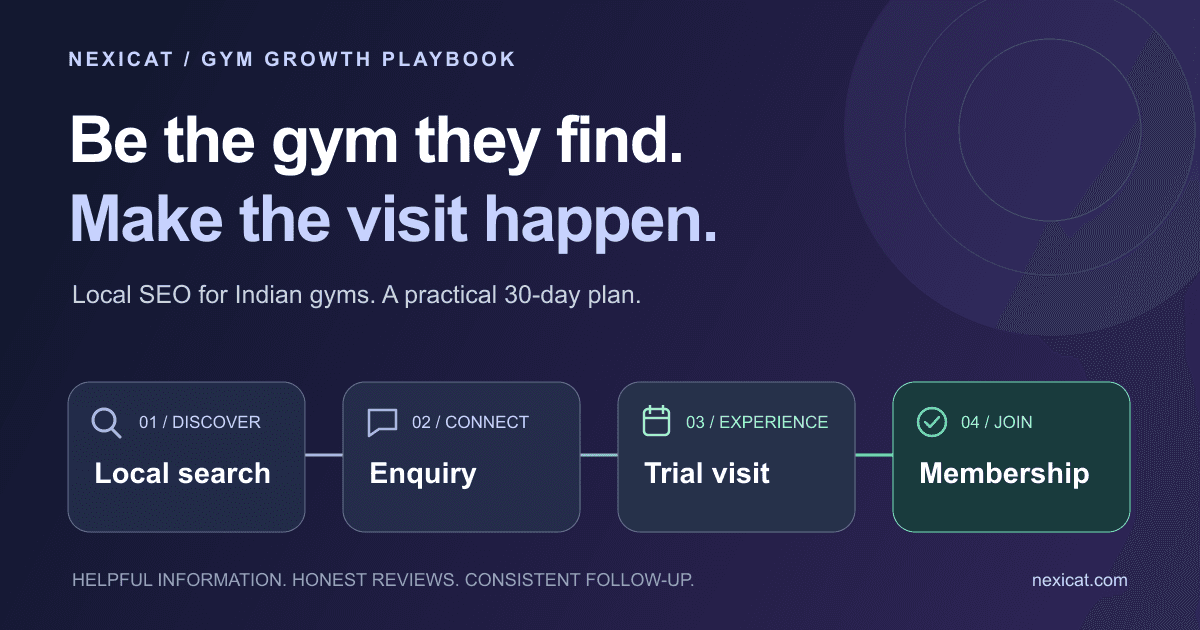
1. Start with the neighbourhood you actually serve
Someone searching for a gym in HSR Layout, Bengaluru, has a different problem from someone researching workout routines. They need a place they can reach, at a time they can train, with a team they can trust. Your local SEO should help them make that decision.
Local SEO means improving how your gym is found in location-based searches, including Google Maps and ordinary website results. Google says local results depend mainly on relevance, distance and prominence. You can improve the information people find, but you cannot make your gym physically closer to every searcher or buy a better organic local ranking. See Google’s local ranking guidance.
Write down your real catchment area using what members tell you about their commute. Start with one branch and a few relevant searches, such as “gym in HSR Layout”, “strength training in HSR Layout” or “gym near Sector 2 HSR Layout”. These are illustrative search phrases, not verified keyword-volume estimates. Only target services you actually provide.
Ask five recent joiners what they searched for and what nearly stopped them from visiting. Their answers can reveal missing information: evening crowding, parking, beginner support, women-only sessions or the full membership price. Answer those questions before producing more promotional content.
2. Make your Google Business Profile easy to act on
Claim and verify the profile for your actual gym location. Then review it on a phone as if you have never visited before. Can someone identify the entrance, check today’s opening hours and contact a person who will answer?
- Use your real business name, matching your signage. Do not add “best gym near me” to the name unless it is genuinely part of your established business name.
- Choose the most accurate primary category available for your business. Add only relevant extra categories.
- Check the address, map pin, phone number and website link. Keep branch details consistent with your website.
- Update regular and special opening hours, including festival closures or reduced Sunday hours.
- Add current photos of the entrance, training floor and facilities. Obtain permission before showing identifiable members.
Google’s business representation guidelines explain the naming and location rules. For multiple branches, use an eligible profile for each real location; do not create extra profiles to target neighbourhoods where you have no branch.
Give one staff member responsibility for checking details after any change to hours, contact numbers or facilities. Think of the profile as part of your front desk: an unanswered call or wrong entrance can lose a visit even when your gym appears in search.
3. Build a branch page that answers “Should I visit?”
Send people to the page for the branch they found, rather than making them hunt through a generic homepage. A useful page should explain what training is available, who it suits and how to arrange a visit.
Use a clear title such as “Gym in HSR Layout, Bengaluru | [Your Gym Name]” and a natural main heading. Include the branch address, directions, opening hours, real photographs and a phone number staff monitor. Explain trainer availability, facilities and any restrictions honestly.
Make pricing understandable. If you show a rupee price, state the plan duration, what is included, and whether any joining fee or other charges apply. If a trial is paid or requires booking, say so beside the button. Avoid a “free trial” headline that becomes a different offer at reception.
Choose one main action: Book a gym visit or Request a trial. Keep the form short: name, contact number and preferred time are a sensible starting point. Check that the confirmation tells visitors what happens next. Offer a call option for people who do not want to complete a form.
Test the page on a mobile connection. Compress oversized photos, check the buttons and try submitting the form yourself. If local-language support is available, say which languages your team can help in. Publish translated content only when you can keep it accurate.
Do not copy the same page across dozens of city names. A second location deserves its own real address, facilities, photos and visit details. A page should help someone choose a gym, not just contain another place name.
4. Ask for honest reviews without buying them
Create a simple, optional invitation that members can use when convenient. Google allows businesses to share a review link or QR code. Its review guidance also prohibits incentives in exchange for reviews.
A review-request template you can adapt:
Thanks for training with [Gym Name]. If you would like to share your experience, you can leave an honest Google review here: [review link]. Your feedback helps us improve and helps other people decide whether we are a good fit. It is completely optional.
Ask consistently without filtering for happy members first. Do not offer a free month, discount or gift for a review. Do not dictate keywords, ask for five stars, set staff review quotas or pressure people to post before leaving. Google’s Maps content policy covers selective solicitation, incentives and pressure.
Reply with care. A complaint about crowded evening sessions deserves a useful response about how you will investigate it. Keep payment disputes and personal details out of public replies; invite the member to discuss those privately. Reviews can reveal operational problems that advertising cannot fix.
5. Give every enquiry a next step
Being found is only the beginning. A prospect who asks about your evening batch should not have to repeat the conversation to three different staff members.
Keep a simple enquiry record: source, branch, preferred training time, relevant question, assigned staff member and next action. Record only information needed for the enquiry. Ask permission for follow-up, use the person’s preferred channel and stop if they decline further contact.
A first-response template:
Hi [Name], thanks for asking about [Gym Name, Branch]. You mentioned evening training. Would [time option A] or [time option B] suit a visit? Our trial is [price and conditions]. Here are the directions: [map link]. Let us know if you would prefer no further follow-up.
A visit reminder, where the person has agreed to one:
Hi [Name], confirming your visit to [Branch] at [time] on [date]. Ask for [staff member] at reception. Please bring [anything genuinely needed]. If your plans change, reply here and we can reschedule.
These are manual communication examples, not a claim that a specific messaging integration is included in Nexicat. Avoid unsolicited bulk messages or false urgency about limited places.
After the visit, record whether the person joined, needs more information, wants a later start or does not wish to continue. A short note such as “needs a morning slot” is more useful than labelling every undecided visitor “cold”.
Nexicat’s lead management features include lead sources, statuses and follow-up context. Use your demo to check how your team would record a Google enquiry, organise a visit and track the outcome. The system should support your process; it cannot replace a helpful conversation.
6. Measure visits and memberships, not just visibility
Keep two views of performance. Google Business Profile tells you about discovery and interactions. Your enquiry records tell you what happened after someone contacted the gym.
In Google’s reporting, “calls” counts clicks on the call button, not confirmed conversations. Website clicks are not completed trials. Available metrics vary, and the report may include activity from both organic results and Google Ads. Check Google’s performance definitions before interpreting the numbers.
Once a week, record new enquiries by source, trials booked, trials attended and memberships sold. Deduplicate people who call and fill out the form. Keep “unknown” as a valid source instead of guessing. Ask “How did you hear about us?” and accept that attribution will not be perfect.
For conversion rates, follow the same group of enquiries through a clear observation period. Do not divide this week’s memberships from older leads by this week’s new enquiries.
Illustrative example, not a Nexicat customer result: a group of 40 Google-sourced enquiries eventually produces 16 trial bookings, 12 attended trials and 6 memberships. Enquiry-to-booking conversion is 16 ÷ 40 = 40%. Trial attendance is 12 ÷ 16 = 75%. Attended-trial-to-member conversion is 6 ÷ 12 = 50%. Overall enquiry-to-member conversion is 6 ÷ 40 = 15%.
Those figures are a worked example, not industry benchmarks. If bookings are healthy but attendance is weak, investigate scheduling, directions and reminders. If people visit but do not join, ask about fit, price clarity and the trial experience. More traffic will not automatically solve either problem.
Your first 30 days: a plan a small gym team can run
Days 1–7: fix the basics. The owner checks profile access, business details, categories, pin and opening hours. Capture a baseline of the available Google metrics and current enquiry sources. Walk from the map pin to the entrance to check the directions.
Days 8–14: make booking easier. Update the branch page, price explanation and trial conditions. Test the enquiry form and phone link on mobile. Nominate a staff member to handle new enquiries and choose a response target your opening hours can realistically support.
Days 15–21: make follow-up consistent. Introduce the enquiry record and optional review invitation. Brief staff on the message templates. Check that visits have an owner, that consent preferences are respected and that the next shift can understand each open enquiry.
Days 22–30: review the gaps. Compare enquiry sources and completed visit outcomes, allowing for leads still deciding. Ask what confused visitors. Improve one weak step, such as unclear trial terms or missed calls, and record what changed.
Thirty days is an implementation window, not a promise of first-page rankings. Keep reviewing what real prospects do over subsequent months. Avoid judging success from one search on the owner’s phone: results can differ by the searcher’s location.
Before spending more on gym marketing, make sure a nearby person can find your branch, understand the offer, book a visit and get a useful response. That is a process your team can improve every week.
From search to your front desk
Give every gym enquiry a clear next step.
See how Nexicat handles lead sources, follow-up context and member records. Bring your branch’s current enquiry process to a demo and check the workflow with us.
Questions gym owners ask
How can I improve my gym’s visibility for ‘gym near me’ searches?
Keep your verified Google Business Profile accurate, use relevant categories, maintain useful branch pages and invite honest reviews. Google also considers the searcher’s distance from your gym, so no single change guarantees a top position for everyone.
Does each gym branch need a separate website page?
A dedicated page is useful when each branch has distinct visit information. Include that location’s real address, hours, facilities and contact route. Avoid near-identical pages for neighbourhoods where you do not operate.
Can I offer a membership discount for Google reviews?
No. Google prohibits incentives such as discounts, gifts or free services in exchange for reviews. Share an optional review link and let members describe their own experience without influencing the rating or wording.
How does Nexicat help with gym enquiries?
Nexicat provides lead records with sources, statuses and follow-up context, alongside member management. Ask for a demo using your branch’s enquiry-to-visit workflow and confirm the features and setup included in your plan.
About Nexicat Editorial. We write practical guides to gym operations and growth. This guide draws on the Google resources linked beside the relevant advice, checked on 30 August 2026. Templates, the 30-day plan and conversion figures are editorial examples, not customer case studies or promised results.