
Membership policy · India
Gym Membership Freeze Policy in India: A Software Workflow
Turn a published membership pause policy into exact dates, controlled access, actual-day accounting and a return date the member and front desk can verify.
1. Define a freeze separately from cancellation and inactivity
A membership freeze is a temporary, dated pause under published plan rules. The member expects to return. Cancellation ends the commercial relationship, expiry completes the purchased term, and manual inactivity can arise for a different operational reason. Staff should never use these labels interchangeably.
Define what pauses during the freeze: facility access, class booking, loyalty earning, personal-training sessions, recurring dues and membership validity are separate questions. A status label cannot answer all of them.
The gym membership lifecycle guide explains the broader state model. This guide focuses on the evidence required to move from active, to scheduled pause, to paused, and back to active without silently changing the member's purchase.
2. Publish the policy before the member buys
Put the freeze rule beside the plan terms, not inside a staff-only note discovered after payment. State:
- which plans include a freeze and the allowance per membership term;
- the minimum or maximum window, notice requirement and eligible reasons;
- whether a fee applies and whether scheduled payments continue;
- what access stops during the pause;
- whether paused days extend the membership end date;
- how to request, cancel or end a freeze early; and
- which branch or support channel owns exceptions.
Indian operators use materially different models. Anytime Fitness India's current terms describe reason, duration, frequency, documentation, fee, payment and term-extension rules, while Cult.fit support shows plan-specific pause allowances and validity effects. These are examples of published policies, not templates or legal recommendations.
The official Consumer Protection Act, 2019 defines unfair contracts and unfair trade practices. The Department of Consumer Affairs' dark-pattern guidelines also address hidden or cumbersome subscription exits, obscured choices and undisclosed price elements. Use plain controls and disclose fees before confirmation. Obtain qualified advice for the gym's actual terms rather than copying another operator.
3. Turn the plan allowance into exact calendar rules
Store the freeze allowance on the membership plan as a number of calendar days per membership or renewal term. Show total, used, scheduled and remaining days separately. Decide whether both the start and end dates count.
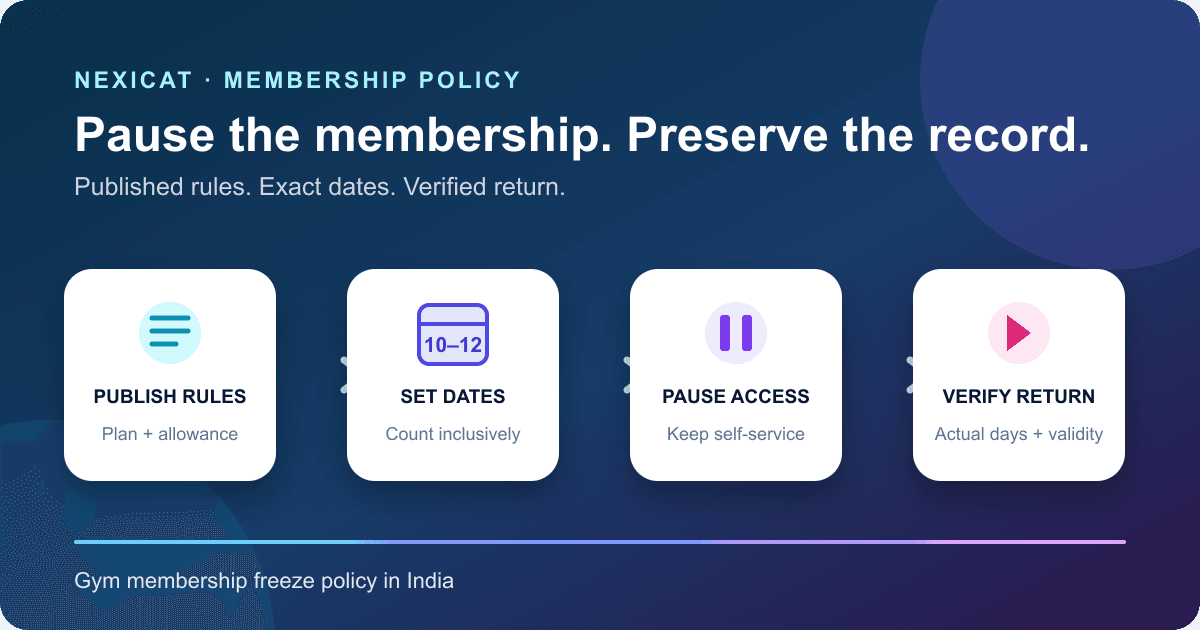
Nexicat's reviewed workflow uses inclusive date counting. A pause from 10 November through 12 November consumes three days. It rejects an end before the start, a window beyond the current membership end date, a second open freeze, and a request exceeding the plan's remaining allowance.
Use the gym's configured business date rather than the phone's clock. Test a same-day pause, a one-day pause, month-end, leap day, a future pause, and the final membership day. Do not describe “one month” when the software stores a fixed number of days.
4. Record a complete request without collecting excess evidence
A useful request record contains the member, plan, branch, requested start and end dates, reason, requester, decision owner and timestamp. Confirm the policy version given to the member and communicate the resulting status and expected return date.
Nexicat currently requires a reason and derives whether the authenticated actor is the member or an authorised staff user. Staff changes require membership-management permission, and the backend verifies gym and branch scope. The record stores who initiated the freeze and the staff identifier when applicable.
The reviewed flow does not provide a document-upload field, multi-step approval, policy-version record or customer-visible audit history. If the gym asks for medical or travel evidence, define necessity, access, retention and deletion with qualified advice. Do not place detailed medical information into a free-text reason when a short neutral category is enough.
5. Distinguish a scheduled pause from an active pause
A future request should remain scheduled until its start date. The membership is still active before then. On the start date, the system should change service eligibility and show staff and the member that the pause is active.
Nexicat stores the future window without immediately deactivating the member. A scheduled process, or loading the due member record, activates the pause when the gym-local start date arrives. An immediate or backdated-to-today request becomes paused at once. The member cannot create another pause while an active or scheduled window remains open.
Test a scheduled request that is cancelled before it starts. In the reviewed flow, the unfreeze action clears a future window and keeps the membership active without consuming pause days or extending the end date.
6. Apply the paused state consistently to gym services
Write an access matrix before rollout. Include front-desk check-in, QR or biometric entry, class booking, waitlists, loyalty earning, personal-training sessions, member-app self-service and staff reporting. Decide what remains visible and what is blocked.
Nexicat's central membership access policy treats an active member as eligible for protected gym services. Starting a freeze marks the member inactive and paused. Attendance, class-booking and loyalty workflows use that access decision, while authentication and appropriate membership self-service remain available so the member can inspect the pause and resume.
Existing future class or PT bookings need an explicit operating rule. The reviewed freeze service does not claim automatic booking cancellation, waitlist promotion, PT-session rescheduling, refund calculation or trainer notification. Test each dependent workflow instead of assuming the paused flag repairs it.
7. Calculate early return and validity extension from actual days
When a member returns, record the effective resume date and calculate actual paused days using the same inclusive rule. Compare actual days with the remaining allowance, update days used, extend validity according to the published policy, clear the freeze window and restore service access.
In Nexicat's reviewed workflow, an active freeze ends through an explicit unfreeze action. The system counts from the pause start through the effective unfreeze date, caps the applied days at the remaining allowance, adds those days to the membership renewal date and reactivates the member. A renewal window change resets the used-day counter for the new term.
The current backend does not automatically resume a member merely because the recorded freeze end date passes. Treat automatic end-of-window resumption as unsupported unless the offered release demonstrates it. Include overdue open freezes in the front desk's daily exception review.
8. Keep freeze, billing and other paid services separate
A membership-date extension does not automatically decide the financial treatment. State whether recurring payments pause, whether a freeze fee is invoiced, and whether already paid membership days are carried forward. Reconcile any invoice, payment or refund separately.
Do the same for personal training, paid classes, lockers and add-ons. A general membership pause may or may not extend a fixed PT package or cancel a paid class. Each service needs its own written rule and source record.
The reviewed Nexicat freeze flow extends the membership renewal date when the member is explicitly unfrozen. It does not create a freeze-fee invoice, suspend a payment mandate, refund a charge, extend PT sessions or alter paid class finance. Review the gym billing guide and personal-training guide for those separate controls.
9. Review exceptions instead of reporting a retention win
Maintain a daily queue for pauses starting today, windows past their planned end, failed access-state changes, disputed dates and members returning early. Assign an owner and preserve the source request before correcting a record.
Useful counts include requests received, approved and declined; scheduled, active and overdue freezes; planned versus actual paused days; and exception resolution time. Define the denominator and period. A pause is not a renewal, and a later renewal does not prove the freeze caused retention.
Nexicat exposes current freeze status, dates, reason, initiator and days used on the member record. The reviewed code does not establish a dedicated freeze analytics dashboard, approval report, immutable event ledger, automated exception alert or retention attribution. Buyers who require those controls should score them as gaps rather than infer them from the current-state screen.
10. Run a freeze demo with difficult date and access cases
Create fictional plans and members, then ask Nexicat to:
- set one plan to zero pause days and another to a fixed allowance;
- reject an end date before the start and a window beyond membership validity;
- show inclusive day counting and remaining allowance;
- schedule a future pause and prove the member stays active beforehand;
- cancel that scheduled pause without consuming days;
- start an immediate pause and block attendance, class booking and loyalty use;
- prove the member can still sign in and inspect membership self-service;
- resume early and reconcile actual days, days used and the new renewal date;
- show what happens after the planned end date without an explicit unfreeze;
- renew the membership and verify the new-term allowance; and
- identify fee, documents, approvals, audit history, notifications, PT/class changes and analytics as unsupported unless demonstrated.
Use the membership freeze feature overview and book a Nexicat demo with your written policy and fictional records.
Test the source records
Bring one written freeze policy to the demo.
Use fictional plans and members to test allowances, inclusive dates, scheduled pauses, access restrictions, early return, validity extension and overdue windows.
Gym membership freeze policy questions
What is a gym membership freeze policy?
It defines when a member may temporarily pause a membership, how many days are available, what evidence or fee applies, which services stop, whether validity extends and how the member resumes. The rule should be visible before purchase.
Should freeze dates count inclusively?
The gym must publish one unambiguous rule. Nexicat's reviewed workflow counts both the start and effective end or resume date. A 10–12 November window therefore uses three calendar days.
Does a membership freeze automatically cancel classes or PT sessions?
Not necessarily. Membership access, class bookings, paid classes and PT packages are separate records. The reviewed Nexicat freeze service blocks protected service use but does not claim automatic booking cancellation, refunding or PT-session extension.
Does Nexicat automatically resume a membership on the freeze end date?
The reviewed backend requires an explicit unfreeze action; the stored end date alone does not automatically resume the member. Gyms should review overdue freezes, and buyers needing automatic resumption should ask for a live demonstration of the offered release.
Which membership freeze features does Nexicat currently support?
Reviewed code supports plan-based day allowances, immediate and scheduled pauses, inclusive date validation, member or authorised-staff requests, branch scoping, paused service access, scheduled cancellation, early resume, actual-day accounting, validity extension and member-app visibility. Fees, document upload, approval chains, automatic end-date resumption, dedicated analytics and outcome guarantees are not claimed.
About Nexicat Editorial. We write practical guides to gym operations and software evaluation. Sources linked beside the relevant guidance were checked on 1 November 2026. This guide provides general operational and consumer-interface information, not legal or financial advice. Products and requirements change; verify the offered workflow and obtain qualified advice before rollout.