
Gym campaigns · India
Gym Marketing Campaign Software in India: Email and Push Guide
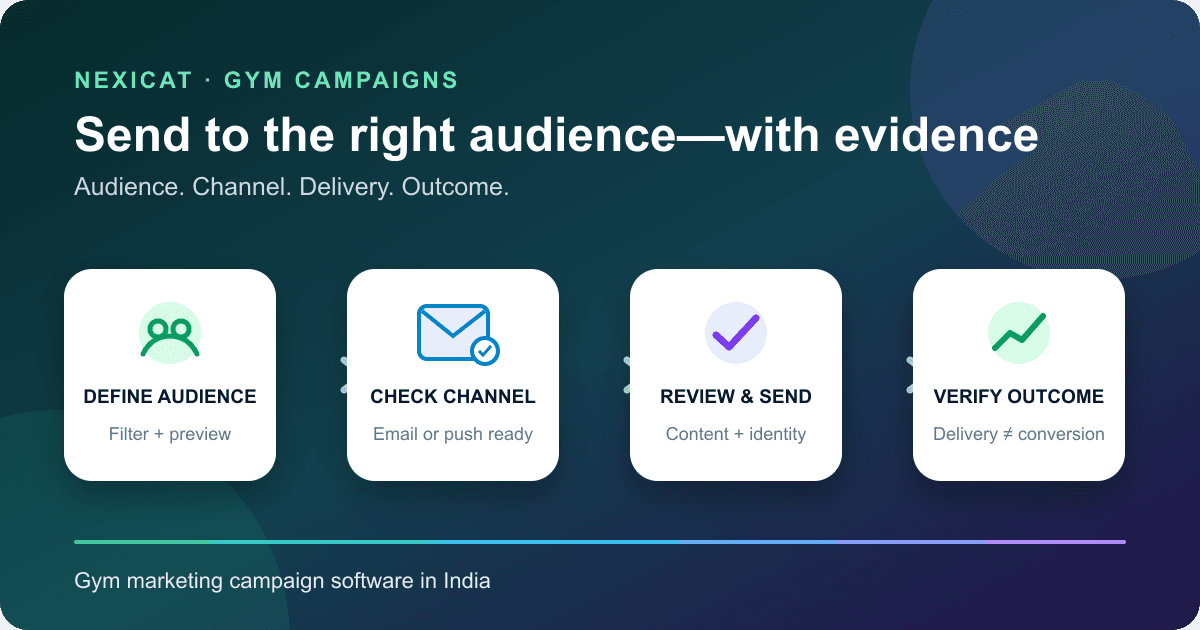
Send relevant lead emails and member push notifications with a scoped audience, reviewed content and evidence that keeps delivery separate from conversion.
1. Give every campaign one operational objective
Begin with a decision the gym can observe: invite eligible leads to book a branch visit, tell active members about a new class, or contact memberships inside a defined renewal window. Avoid a vague goal such as “increase engagement.” It gives staff no reliable audience, message or outcome to review.
Write down the branch, audience type, offer or information, permitted channel, owner, send time and source-record outcome before creating the campaign. Separate service information from promotion because the purpose and contact expectations may differ.
Campaign software can organise a controlled send. It cannot make an irrelevant offer useful, create permission to contact someone or guarantee a visit, renewal or sale.
2. Separate the audience, delivery target and business outcome
A trustworthy campaign report keeps five records distinct:
- Eligible records: people who satisfy the gym's written campaign rule.
- Selected audience: unique lead or member records included when the audience is built.
- Channel-ready targets: valid email addresses or enabled app installations that can receive the chosen channel.
- Delivery evidence: sender acceptance, device delivery or a recorded failure or suppression.
- Business outcome: a later branch visit, booking, membership or renewal linked through the relevant operational record.
These numbers are rarely identical. One selected member can have no push-ready device or more than one eligible installation. An accepted email does not prove it was read. A delivered push does not prove the member saw it or acted. Ask vendors which record each dashboard number counts.
3. Choose the channel from the relationship and use case
Email suits a lead when the gym has a usable address and an appropriate reason to send a longer message. Push suits an app member when the installation is enabled and the message is brief and timely. Do not silently switch channels because one is unavailable.
The reviewed Nexicat campaign workflow currently supports email to leads and push notifications to members. It does not claim campaign SMS or WhatsApp, member email campaigns, lead push campaigns or automated multi-step journeys. One-to-one lead follow-up remains a separate CRM task; review the gym CRM workflow before using a broad audience.
For each channel, define who is eligible, what makes the contact expected and how a person can stop promotional messages.
4. Establish the contact basis and stop process first
A stored email address, app account or notification token does not by itself answer whether a promotion should be sent. Record the purpose communicated to the person, the gym's applicable basis, contact preferences and every stop request. Keep a suppression process outside the campaign list so a fresh import does not restore a person who opted out.
India's Digital Personal Data Protection Act, 2023 requires notice about personal data and purpose, and where consent is used it must be free, specific, informed and unambiguous, limited to necessary data and capable of withdrawal. The official DPDP Rules, 2025 page contains the notified rules and supporting material.
Google's email sender guidelines explain authentication, sender reputation and unsubscribe expectations for mail sent to personal Gmail accounts. Apply qualified legal and deliverability advice to the gym's exact campaign; software fields alone do not establish compliance.
5. Build a branch-scoped audience and preview it
Use a rule another staff member can reproduce. For leads, that may be selected lead stages plus individually chosen records. For members, it may combine active status, a plan, gender or a renewal-date window with manual selections. Record why every filter belongs in the campaign.
Nexicat's reviewed flow scopes campaigns to a gym and branch, supports filtered and manual selection, and removes overlap between those inputs. The preview shows the resulting audience total before dispatch. Member previews also show push-ready installations.
Inspect a small sample before sending. Check branch, status, dates and exclusions against source records. Avoid sensitive segmentation merely because data exists, and never infer interests or health conditions from incomplete records.
6. Check channel readiness instead of assuming reach
For lead email, verify the address, sender identity, approved template and subject. A missing address cannot become an email delivery. For member push, verify that the member uses the app, notifications are enabled and the installation has a usable registration token.
On Android 13 and later, most non-exempt notifications require the runtime POST_NOTIFICATIONS permission. Firebase also recommends maintaining registration-token freshness in its token management guidance. This is why selected members and push-ready devices must be reported separately.
Run a test using fictional accounts on representative Android and iOS devices. Confirm the sender or app identity, message truncation, deep-link behaviour if offered, and the experience when permission is denied or a token is stale.
7. Review content, variables and sender identity
The message should identify the gym, explain the relevant offer or update, state any material deadline or condition and provide one clear next step. Avoid deceptive urgency, unsupported health results and a subject line that hides the promotional purpose.
Nexicat lead email campaigns use an approved, campaign-enabled template with a sender name, sender email and subject. The reviewed template renderer supports known gym, branch, lead and assigned-staff placeholders. Preview every variable using fictional records and decide what happens when optional data is absent.
Nexicat member push campaigns use a title and message; the current request limits are 60 and 180 characters. Test meaning at those limits instead of treating push as a shortened email. The current campaign builder offers a review step and message preview before “Send now.”
8. Interpret dispatch states and failures honestly
A campaign should move through explicit states such as scheduled, processing, completed, failed or cancelled. Preserve failure counts and reasons instead of reporting only the successful portion. Retry rules must avoid sending the same promotion twice.
In the reviewed Nexicat flow, dispatch uses a processing lease to reduce duplicate work. Lead email records success when the email-sender call succeeds; it does not establish inbox placement, opening or conversion. A campaign with any email failures is marked failed even if some messages were accepted.
Member push creates per-installation delivery records and later projects delivered, failed or suppressed results into campaign totals. Firebase's message-delivery documentation explains that sending or handing a message to another service is distinct from display and opening, and that reported metrics have platform and timing limits. Treat each status according to its technical definition.
9. Measure a fixed funnel without inventing attribution
Report the same funnel for each campaign: eligible records, selected unique records, channel-ready targets, delivery attempts, sender-accepted or delivered targets, and the defined source-record outcome. Add opens or clicks only when they are separately instrumented and their limitations are documented.
Nexicat's current campaign dashboard reports campaign totals, active scheduled campaigns, completed campaigns and audience reach for the period. The reviewed code does not establish email opens, link clicks, notification impressions, bookings, membership conversions, revenue attribution or A/B tests.
To assess business outcomes, tag the campaign consistently and inspect the relevant CRM, booking or membership records over a fixed window. Compare with care: a later purchase can be associated with a campaign without proving the campaign caused it. Use the retention action guide when the objective concerns inactive or renewal cohorts.
10. Test the campaign workflow with fictional records
Ask Nexicat to run two controlled demonstrations:
- create three fictional leads, including one without an email address;
- build a lead-stage audience with one manually selected overlap and prove deduplication;
- preview an approved email template and every placeholder;
- dispatch and explain accepted, failed and campaign-level status;
- create fictional members with zero, one and two push-ready installations;
- preview the member audience and reconcile selected members with device targets;
- send a short push to test devices and inspect delivered, failed and suppressed records;
- show branch scoping, permissions and cancellation behaviour;
- distinguish audience reach from opens, visits, memberships and revenue; and
- identify any required SMS, WhatsApp, recurrence, future scheduling or attribution feature as unsupported unless the offered release demonstrates it.
Review the connected owner, staff and member app workflows, explore Nexicat's campaign workspace, then book a Nexicat demo with one written campaign rule and no real customer data.
Test the source records
Bring one campaign rule to the demo.
Use fictional leads, members and devices to test deduplication, channel readiness, template variables, dispatch failures and the boundary between delivery and conversion.
Gym marketing campaign software questions
What is gym marketing campaign software?
It helps a gym define an audience, choose an eligible channel, review content, dispatch messages and record technical outcomes. It should keep selected people, channel-ready targets, delivery evidence and later business outcomes separate.
Should a gym use email or push notifications?
Use the channel that fits the relationship, purpose and recorded preference. Email can carry a longer lead message; push can deliver a short member update to an enabled app installation. Neither channel guarantees attention or action.
Why is the selected audience larger than the delivered audience?
Some selected leads may lack a valid email, while selected members may have no enabled app installation or may have several devices. Sender rejection, stale tokens, permissions and suppression can also change delivery totals.
Does a completed campaign mean members opened the message?
No. Completion reflects the software's dispatch rules. Sender acceptance or technical delivery is different from display, opening, clicking, visiting the gym or buying a membership.
Which campaign features does Nexicat currently support?
Reviewed code supports branch-scoped lead email and member push campaigns, filtered plus manual audiences, audience previews, approved email templates, push previews, dispatch states and success/failure totals. SMS, WhatsApp, automated journeys, verified recurring sends, open/click analytics and revenue attribution are not claimed here.
About Nexicat Editorial. We write practical guides to gym operations and software evaluation. Sources linked beside the relevant guidance were checked on 31 October 2026. This guide provides general operational, deliverability and privacy information, not legal advice. Products and requirements change; verify the offered workflow and obtain qualified advice before rollout.