
Member rewards · India
Gym Loyalty Program Software in India: A Rewards Guide
Connect legitimate member actions to an explainable points ledger, clear rewards and controlled voucher fulfilment.
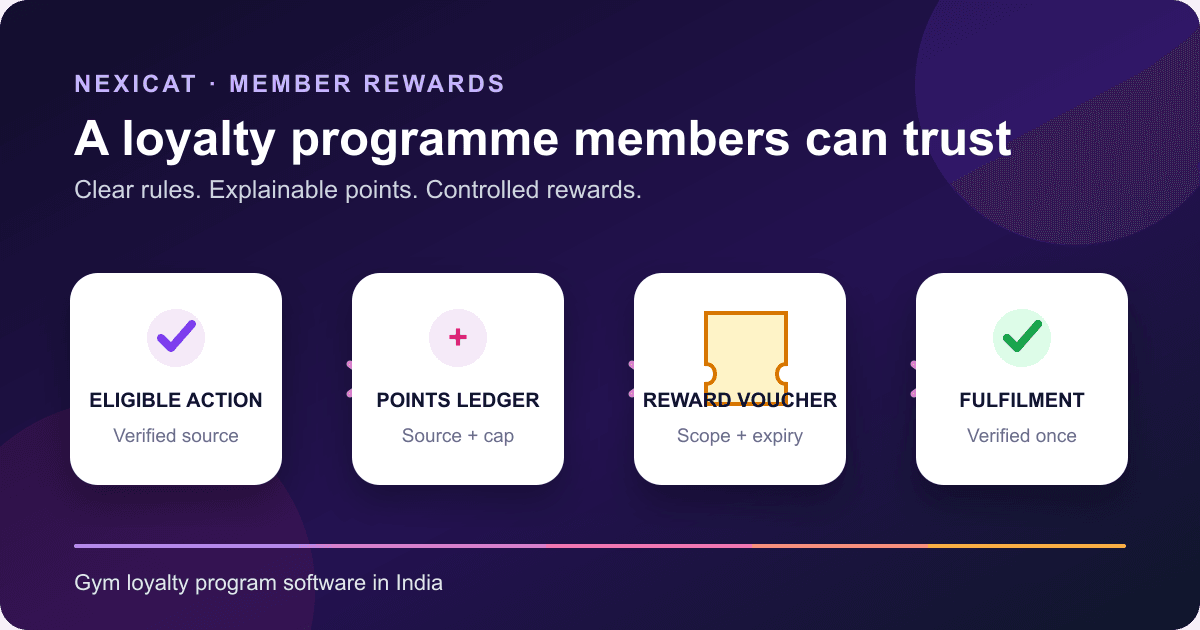
1. Choose one member behaviour and one operating objective
Start with a behaviour the gym can verify: a valid branch check-in, attended class, paid invoice, membership anniversary or confirmed referral. Then state the operating objective without promising an outcome, such as making consistent participation visible or giving members a clear reason to use an approved service.
Avoid launching points for every action at once. A large opening menu makes cost, staff exceptions and member expectations harder to understand. Begin with one or two rules, a short reward catalogue and a review date.
Loyalty software can record actions and redemptions; it cannot prove that points caused retention, revenue or attendance. Keep the member-retention workflow separate so attendance gaps, renewal follow-up and service recovery are measured with their own cohorts.
2. Keep the rule, ledger, reward and redemption separate
A controlled gym loyalty programme needs four distinct records:
- Earning rule: the eligible event, points value, status, period cap and conditions.
- Points ledger and balance: each credit or debit, its source and the member's current total.
- Reward catalogue item: the reward name, point cost, scope, type, terms and availability.
- Redemption or voucher: the member, points spent, reward snapshot, code, status, expiry and fulfilment evidence.
This separation answers common disputes. Staff can see why points were earned, which published reward was selected, what terms applied at redemption and whether the voucher was used. Editing a catalogue item later should not silently rewrite an earlier redemption.
Ask a vendor to trace one action through all four records. A balance alone is not an audit trail, and a coupon code alone does not explain the debit.
3. Configure legitimate earning rules and sensible caps
For each rule, write the event, points, eligible branch or member context, active dates, frequency cap and exception owner. Test a duplicate event and the edge of a daily, weekly, monthly or yearly cap.
Nexicat's reviewed code supports configured rules for check-ins, class attendance, paid invoices, membership anniversaries and manually confirmed referrals. Invoice-paid points are calculated in ₹100 collected units in the current implementation. Confirm the exact offered configuration before rollout.
Do not give points, discounts, free products or services for posting, changing or removing a Google review. Google's Maps user-contributed content policy treats incentivised reviews as prohibited fake engagement, and its Business Profile review guidance repeats that restriction. Nexicat currently exposes a manual Google-review event in configuration; leave it disabled. A software option does not make the practice policy-compliant. You may request honest feedback neutrally, without a reward and without asking only satisfied members.
4. Protect the points ledger from duplicates and casual adjustments
Every automated award should carry a stable source such as the attendance, class or invoice event that created it. If the same source is processed twice, the member should not receive the award twice. Period caps must use the gym's stated time window and be visible to members before they act.
Restrict manual awards to authorised staff and defined reasons. Record who performed the action, when it happened and the source or note used to support it. Never edit a balance directly to hide an error; use an explainable correction path and retain the original history where the offered product supports it.
Nexicat's current backend uses a unique member-event-source combination to prevent a repeated source award, applies configured period caps and changes balances atomically. The reviewed manual-award flow is limited to specific events and permission-controlled. This is not a claim of universal fraud detection, point reversal support or a complete tamper-proof audit system.
5. Price each reward in points using its whole cost
Set a point cost only after identifying the reward's real cost and operating burden. Include the discount amount or product cost, applicable taxes, staff time, fulfilment limits, stock dependency, expiry and the risk of many members redeeming together.
Do not invent a universal rupee-to-point conversion. A point is a programme unit under published terms unless the gym has deliberately created a different legal or accounting arrangement. State whether points expire; do not imply that Nexicat currently expires points because the reviewed implementation clearly supports voucher expiry, not a general point-expiry rule.
Reward and discount structures can affect tax and accounting treatment depending on how they are designed. CBIC's Circular 92/11/2019-GST discusses several sales-promotion structures, but it does not decide every gym programme. Ask the gym's accountant to review the exact terms, invoicing and GST treatment.
6. Publish a small reward catalogue with clear scope
Give every item a plain name, description, point cost, active status, branch scope, reward type, expiry rule and fulfilment instructions. A gym-wide reward and a branch-only reward should look different before redemption.
Nexicat's current catalogue supports fixed or percentage discounts on a later invoice and custom manual rewards, with optional branch scope and configurable voucher-expiry days. The billing flow can preview and apply an eligible discount voucher while preventing reuse and capping the discount against the payable amount. Custom manual vouchers use a separate staff fulfilment path.
Do not advertise cash conversion, unrestricted transfer, tiers, streaks, leaderboards, merchandise stock reservation or automatic WhatsApp campaigns unless the offered release demonstrates them. Link invoice-linked rewards to the gym billing guide so staff understand the difference between a voucher, invoice and collected payment.
7. Test the complete voucher lifecycle
A member should redeem only an active reward in the allowed branch with enough points. On success, points should be deducted once and the voucher should preserve the reward terms that applied at that moment.
Follow the voucher through its lifecycle: pending, fulfilled, expired or cancelled. Check who can fulfil it, whether it is linked to the correct invoice when applicable, and how the product blocks an expired or already-used code. A discount voucher should not silently convert into cash or reduce an invoice beyond the product's allowed boundary.
Nexicat's reviewed flow validates gym, member, branch, status, expiry and single use; stores a reward snapshot; creates a unique voucher code; and records staff fulfilment or the applied invoice. Confirm cancellation and correction behaviour for your exact scenario, because this guide does not claim every reversal or refund case.
8. Make earning and redemption understandable to members
Before a member acts, show the eligible action, points, frequency cap, reward cost, branch restriction, expiry and material exclusions. Afterward, let the member see the balance, recent ledger entries, catalogue availability and voucher status.
Avoid false urgency, preselected paid extras, hidden terms, forced actions and changing the apparent value late in the journey. India's Department of Consumer Affairs dark-pattern guidelines describe practices including false urgency, basket sneaking, forced action, bait and switch, drip pricing and trick wording. Have qualified counsel review the programme; this article does not provide a compliance conclusion.
Nexicat's member app currently exposes the points balance, recent ledger, ways to earn with caps, reward catalogue, affordability and voucher status or expiry. Review the broader gym management app guide when testing member and staff views together.
9. Review programme activity with fixed denominators
Choose a reporting period and eligible population before reading the results. Useful operating counts include enrolled eligible members, members who earned, members who redeemed, vouchers fulfilled, vouchers expired or unused, points issued, points spent and the recorded reward or discount cost.
Useful rates can then be defined plainly:
Earner rate = eligible members who earned ÷ eligible members
Redemption rate = members who redeemed ÷ members with enough points for at least one active reward
Keep members, vouchers and transactions as separate units. A higher redemption count does not prove greater retention, and unredeemed points do not automatically equal profit. Compare equivalent cohorts and note changes to reward terms, membership mix, class access and campaigns before drawing a conclusion.
10. Run a loyalty demo with difficult exceptions
Create fictional members, one branch-scoped reward and a low cap. Then ask Nexicat to:
- publish a legitimate earning rule and leave the Google-review event disabled;
- award points from one valid source and reject the same source twice;
- reach the configured period cap and explain the next eligible date;
- show the member's balance, ledger and ways-to-earn terms;
- attempt a redemption with insufficient points;
- block a branch-restricted reward in the wrong branch;
- redeem an eligible fixed or percentage invoice discount;
- preview and apply it to the correct invoice without reducing the payable amount below the allowed limit;
- block the fulfilled voucher from being used again;
- expire another voucher and test staff lookup; and
- reconcile points spent, voucher state and invoice evidence.
Use fictional records and make no real payment. Explore Nexicat inventory and loyalty features or book a Nexicat demo with this script.
Test the reward workflow
Bring one difficult reward scenario to the demo.
Use fictional members to test duplicate sources, caps, insufficient points, branch scope, invoice discounts, expiry, reuse prevention and member transparency.
Gym loyalty software questions
What is gym loyalty programme software?
It connects configured earning rules to a member points ledger, reward catalogue and controlled redemption or voucher record. A useful system explains why points changed and whether a reward was fulfilled.
What actions can an Indian gym reward?
Use legitimate, verifiable actions that fit the gym's programme, such as valid check-ins, attended classes, paid invoices, anniversaries or confirmed referrals. Publish caps and terms. Do not reward Google reviews.
Should a gym offer points for a Google review?
No. Google prohibits incentives such as payment, discounts, free goods or services for posting, changing or removing a review. Ask for honest feedback neutrally and keep review incentives disabled.
Do loyalty points equal money?
Not automatically. Points are programme units governed by the gym's published terms unless a different arrangement is deliberately created. The reward, invoicing, GST and accounting treatment should be reviewed for the exact programme.
What loyalty features does Nexicat currently support?
Reviewed code supports configurable earning rules and period caps, member balances and ledger entries, gym-wide or branch-scoped reward catalogue items, fixed or percentage next-invoice discounts, custom manual rewards, unique vouchers, expiry and fulfilment states, invoice application, staff permissions and member-app visibility. Point expiry, tiers, leaderboards, cash conversion, automatic marketing campaigns and guaranteed outcomes are not claimed.
About Nexicat Editorial. We write practical guides to gym operations and software evaluation. Sources linked beside the relevant guidance were checked on 25 October 2026. This guide provides general operational information, not legal, tax, accounting or financial advice. Products, platform policies and requirements change; verify the offered workflow and obtain qualified advice before rollout.