
Member support · India
Gym Complaint Management Software in India: A Support Workflow
Turn member complaints into scoped conversations with clear ownership, controlled status changes and evidence that the underlying issue was resolved.
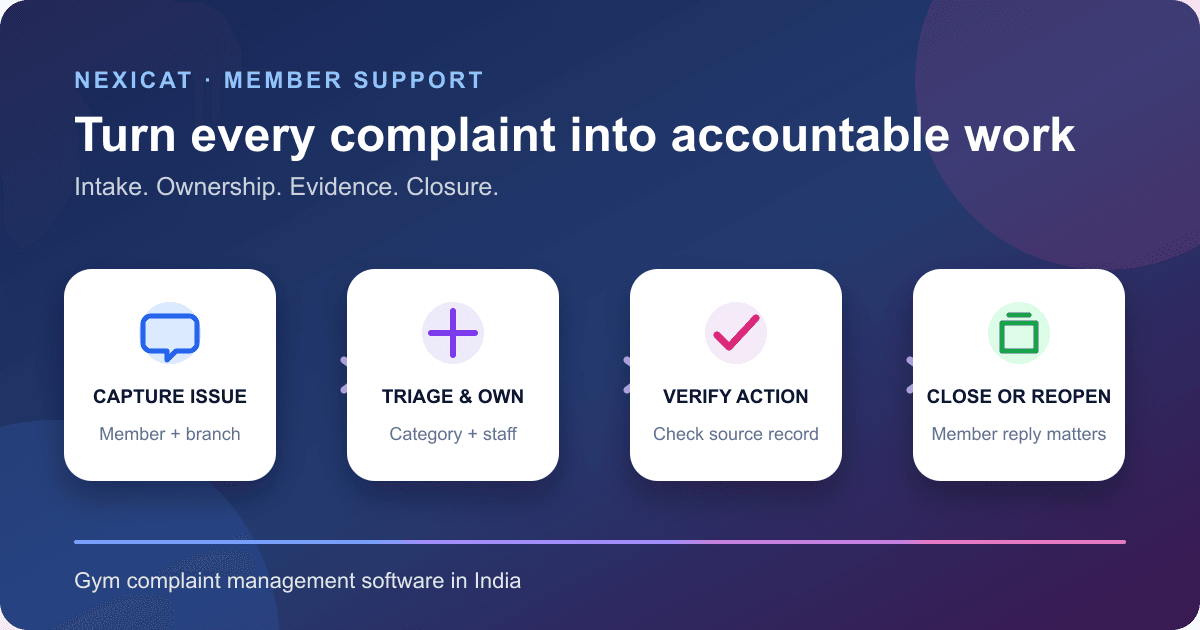
1. Decide what belongs in a complaint ticket
A ticket is a dated record for one member issue that needs ownership, conversation history and a clear outcome. Use it for matters such as a billing dispute, membership problem, facility concern, service complaint or suggestion that needs a response.
Keep quick factual questions separate when staff can answer them immediately without follow-up. Route urgent safety, medical, harassment, security or safeguarding concerns through the gym's trained escalation process; an ordinary app inbox is not an emergency channel.
A ticket also differs from a public review. Do not pressure a member to remove or avoid an honest review in exchange for support. Resolve the service issue on its facts, and keep any public-platform response within that platform's policy.
2. Make the intake route visible and explain what happens next
Tell members where to raise a concern, which hours the channel is monitored, what information helps, how urgent issues are escalated and when they can expect an acknowledgement. If phone, email, WhatsApp and an app are offered, decide which channel creates the system record.
The Department of Consumer Affairs' Citizen Charter 2024–25 describes useful grievance-handling practices: visible contact information, accessible channels, a transparent process, acknowledgement, investigation, progress updates, systematic records and periodic analysis. It is public-sector guidance, not a gym-specific service standard or legal template.
The Department's Consumer Protection Act FAQ lists rights to be heard and seek redressal. An internal gym ticket should help resolve concerns; it must not be presented as removing a person's external rights or remedies.
3. Capture the minimum record needed for triage
A useful intake record contains the member and branch, short subject, initial message, category, priority, created time and current status. Ask for dates, invoice or booking references when relevant, but avoid collecting unrelated personal information.
Nexicat's backend supports complaint, suggestion, billing, facility, membership and other categories; low, medium and high priorities; and a subject plus message. The current member app presents complaint and suggestion entry points and creates them at medium priority. Subject text is limited to 120 characters after normalisation, messages to 2,000 characters and list previews to 160 characters.
Priority is not proof of severity. Publish criteria and let trained staff correct triage where appropriate. The reviewed flow does not expose a member attachment upload, custom form fields or a structured incident report, so do not ask members to paste identity documents, payment credentials or detailed health information into free text.
4. Scope every ticket to the right member, gym and branch
Complaint text can reveal contact details, payment context, staff allegations or other personal information. Limit access to people who need it, and show the member only their own tickets.
Nexicat creates a ticket from the authenticated member context and copies the member, gym and branch into the record. Member lists include only that member's scoped tickets. Staff lists and ticket access are restricted to the authenticated gym and branch; viewing requires support permission, while status changes require support-management permission.
The official Digital Personal Data Protection Rules, 2025 page includes the rules and enforcement timeline. Obtain qualified advice on the gym's notices, lawful purpose, access, retention, correction, deletion and processor responsibilities. Software scoping does not by itself establish compliance.
5. Use statuses that describe work, not sentiment
Keep the workflow small and observable:
- Open: received and awaiting staff action.
- In progress: a staff owner is investigating or acting.
- Resolved: staff recorded a proposed outcome and no further action is currently expected.
- Closed: resolution is complete under the gym's policy.
Nexicat supports these four states. A ticket must be resolved before staff can close it, and a closed ticket can move only back to open. Resolution and closure timestamps are stored. When a member replies to a resolved or closed conversation, the ticket automatically reopens and clears those timestamps.
Do not mark a ticket resolved merely because staff replied. The status should reflect the promised action: corrected invoice, explained policy, repaired facility item, scheduled follow-up or documented decision.
6. Keep one conversation and establish ownership
Keep member and staff replies in the ticket instead of splitting the history across calls, personal WhatsApp accounts and verbal handovers. Each message should identify the sender and time. Summarise any off-channel conversation back into the authorised record without copying unnecessary personal content.
In Nexicat, messages are stored chronologically with member or staff sender type, sender identifier, display name, body and creation time. The first staff reply assigns that staff member when no owner exists and moves an open ticket to in progress. The inbox sorts tickets by latest message and supports status filtering and text search across subject, member name and recent preview.
The reviewed implementation does not provide manual reassignment, multiple collaborators, private internal notes, @mentions or a separate escalation owner. Define a fallback outside the tool for absences and complex cases, and test how responsibility is handed over.
7. Set response targets without inventing an SLA
Choose targets the branch can actually staff: acknowledgement, first substantive response, update interval and resolution review. Separate business hours from elapsed hours, and publish only commitments the gym can monitor.
Nexicat's owner/staff mobile inbox displays current open and in-progress counts and derives an “aging” indicator when the latest message is at least 24 elapsed hours old. That is a user-interface queue signal, not a contractual service-level timer. The backend does not store a due date, SLA policy, breach event, pause clock or escalation deadline.
Review the oldest actionable tickets at every shift handover. A recent staff message can make “last activity” look fresh while the original issue remains old, so age both the ticket and the member's unanswered message when designing reports.
8. Record the action before resolving or closing
A resolution note should state what was checked, what changed, the effective date, any financial or access consequence, who approved it and what the member should expect next. Link the operational source record rather than treating the chat message as the source of truth.
For example, a billing complaint should reconcile the invoice, payment, receipt or refund record; a class complaint should identify the dated occurrence; and a membership issue should verify the plan and membership window. Use the gym billing guide and class booking guide for those source workflows.
Nexicat preserves the conversation and status timestamps, but the reviewed flow does not provide a structured resolution code, root-cause field, corrective-action record, attachment, approval step or member confirmation button. A status change alone is not evidence that the underlying problem was fixed.
9. Measure service patterns without blaming members or staff
Use a fixed period and definitions for new tickets, open backlog, in-progress backlog, resolved, closed, reopened, oldest actionable age and repeated categories. Sample the underlying conversations before changing policy or evaluating an employee.
One complaint can contain several issues, while several tickets may describe one facility fault. Category counts are signals for investigation, not proof of cause or staff performance. Do not publish complaint text or identify a member in a team dashboard without an approved purpose.
Nexicat's reviewed ticket screens show state counts, current conversations and an aging presentation, but the backend does not establish a dedicated complaint analytics report, first-response metric, SLA achievement, root-cause dashboard, export, satisfaction survey or retention attribution. Buyers who need those controls should score them as requirements rather than infer them from the inbox.
10. Test the support workflow with difficult cases
Create fictional members and ask Nexicat to:
- submit a complaint and a suggestion from the member app;
- reject a blank subject or message and test the text limits;
- prove another member cannot read the first conversation;
- prove staff from another branch cannot access the ticket;
- filter and search the staff inbox and open the oldest item;
- reply as staff and verify automatic ownership and in-progress status;
- prevent closing before resolution;
- resolve, close and then reply as the member to prove reopening;
- reconcile a fictional billing complaint against its invoice rather than the chat alone;
- explain the 24-hour aging indicator without calling it an SLA; and
- identify attachments, notifications, manual reassignment, private notes, escalation, due dates, analytics and satisfaction surveys as unsupported unless demonstrated.
Review the connected owner, staff and member app workflows, explore member support conversations, then book a Nexicat demo with fictional complaints and your written response policy.
Test the source records
Bring one difficult complaint to the demo.
Use fictional members, branches and billing records to test scoping, ownership, status transitions, closure, reopening and the boundary between a reply and a verified fix.
Gym complaint management software questions
What is gym complaint management software?
It records a member concern as a scoped ticket with a subject, category, priority, owner, conversation history, status and timestamps. It should connect the discussion to the operational record that proves the eventual action.
What statuses should a gym complaint use?
A small workflow can use open, in progress, resolved and closed. Define each state in terms of observable work. Resolve only after recording the proposed outcome, and close under a clear policy rather than after any reply.
Should a member reply reopen a closed complaint?
It often should, because the reply shows the issue needs attention again. Nexicat's reviewed workflow automatically changes a resolved or closed ticket back to open when its member replies.
Is Nexicat's 24-hour aging indicator an SLA?
No. The owner/staff mobile screen derives an aging queue signal from elapsed time since the latest message. The reviewed backend does not store contractual SLA targets, due dates, breach events or escalation clocks.
Which complaint-management features does Nexicat currently support?
Reviewed code supports authenticated member tickets, branch and member scoping, categories, priorities, threaded messages, staff permissions, first-responder ownership, search, status filters, controlled state changes, resolution and closure timestamps, member-triggered reopening and mobile/web inboxes. Attachments, automatic notifications, manual reassignment, private notes, SLA automation, root-cause analytics and outcome guarantees are not claimed.
About Nexicat Editorial. We write practical guides to gym operations and software evaluation. Sources linked beside the relevant guidance were checked on 5 November 2026. This guide provides general operational and consumer-service information, not legal, safety or crisis-response advice. Products and requirements change; verify the offered workflow and obtain qualified advice before rollout.