
Member progress · India
Gym Member Progress Tracking Software in India: A Practical Guide
Build a trustworthy path from a defined exercise and dated entry to a comparable trend the member can inspect and correct.
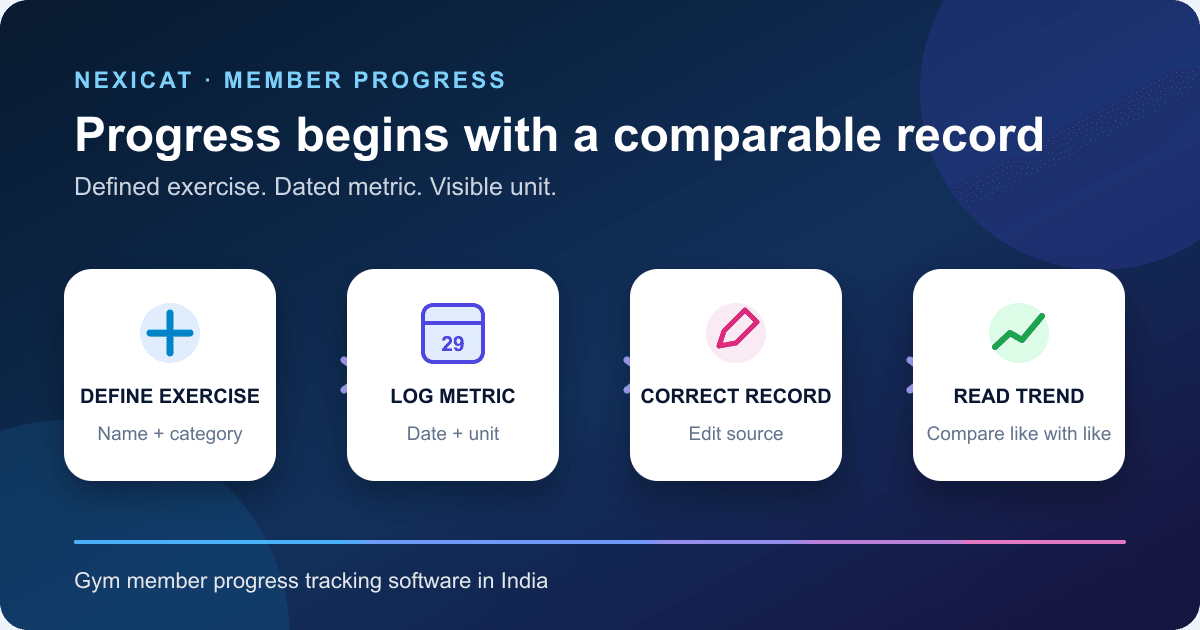
1. Define the progress question before collecting data
“Track progress” is too broad for a useful gym workflow. Decide whether the member wants to review a dated exercise measure, overall body-weight history, participation consistency or another approved service outcome. Each question needs a different record and interpretation.
Start with the member's purpose, the metric, unit, collection method, responsible person and review interval. Do not collect every available number merely because the app has a field. A short, consistent record is easier to understand than a crowded dashboard built from changing definitions.
Software can organise observations over time. It does not diagnose a condition, assess exercise safety, prescribe a programme or prove that a gym caused a physical result. Keep clinical, rehabilitation and nutrition decisions with appropriately qualified professionals.
2. Separate the exercise, dated log and body-weight entry
A clear progress tracker uses distinct records:
- Exercise: the member's named movement or activity and its category.
- Dated exercise log: one date plus one or more measures such as load, repetitions, sets, distance or time.
- Body-weight entry: the member's overall weight on a date, separate from weight used during an exercise.
- Trend view: a display derived from comparable dated entries; it is not a new measurement.
This separation prevents a common error. “60 kg” may mean the member's body weight or the load recorded for an exercise. The screen, export and conversation should always identify which one it is.
Ask a vendor to open the source entry behind a chart point. A graph without the exercise, date, metric and unit is difficult to verify or correct.
3. Create a small metric dictionary with fixed units
Write down what each field means before members begin logging. Nexicat's current progress metadata uses kilograms for weight or exercise load, whole repetitions, whole sets, kilometres for distance and minutes for time.
Keep the exercise name stable. “Treadmill,” “treadmill run” and “cardio” should not become separate histories when they describe the same activity. Record the relevant category consistently, such as chest, back, legs, shoulders, arms, core, glutes, full body, cardio or mobility.
The World Health Organization's physical-activity measurement guide explains that measurement methods capture different dimensions and have different strengths and limitations. Apply that discipline here: define the observation and method, then compare like with like. This gym workflow is not a population-surveillance or clinical measurement system.
4. Make every entry dated, comparable and intentional
A member should choose the exercise, confirm the date and enter at least one relevant metric. Do not require every field for every activity. Repetitions and sets may fit a resistance exercise; distance and time may fit cardio; some activities need only one field.
Nexicat currently stores one log per member, exercise and date. Submitting that same exercise and date again updates the supplied fields rather than creating a second session record. The member should understand this behaviour before using a date to represent multiple sessions.
The reviewed product defaults a missing date to the gym's local date and uses the gym's time configuration for monthly summaries. Test a late-night entry, an earlier date and the first day of a month. Do not claim per-set logging, multiple same-day sessions or a full workout-session record unless the offered release demonstrates them.
5. Treat body-weight history as a separate, sensitive trend
Record overall body weight only when it serves a clear member purpose. Keep the unit visible, allow a date correction and avoid turning a short-term change into a judgement about effort, health or programme quality.
Nexicat stores one body-weight entry per member and date. A repeated entry for the same date updates that day's value. The member app shows the latest value, recent history and a trend chart. This does not verify the scale, measurement conditions, body composition, hydration, medical meaning or cause of a change.
Do not market a weight chart as fat loss, muscle gain or a health outcome. The reviewed code does not store body-fat percentage, circumference measurements, progress photos or device provenance. If those are requirements, ask how they would be collected, protected and interpreted before choosing software.
6. Test corrections, duplicates and deletion before rollout
Use fictional records to test a wrong date, wrong unit, duplicate exercise name and accidental entry. The system should make the result predictable and keep one member from changing another member's data.
Nexicat rejects duplicate exercise names for the same member without regard to letter case. A weight entry cannot be moved onto a date that already has another weight entry, and an exercise log cannot be moved onto a date already used for that exercise. The current member flow supports editing and deleting exercises, exercise logs and weight entries.
Deleting an exercise also deletes its associated logs in the reviewed service. That is a material action, so explain the consequence before staff recommend it. The current flow does not establish a customer-visible correction audit, recovery bin or approval step; buyers who need those controls should treat them as demo questions.
7. Limit access and explain the data purpose
Exercise and weight histories relate to an identifiable member. Tell the member what is collected, why it is used, who can see it, how long it is kept and how correction or deletion requests are handled under the gym's approved process.
India's Digital Personal Data Protection Act, 2023 requires notice to describe the personal data and purpose, says consent must be specific and limited to necessary data when consent is the basis, and provides rights concerning correction and erasure subject to the Act. The DPDP Rules, 2025 page is the official source for the notified rules and supporting material. Obtain qualified advice for the gym's exact role and workflow.
The reviewed Nexicat controller requires an authenticated member context and looks up exercises, logs and weight entries by that member. This article does not claim a trainer portal, staff sharing, consent-management workflow, retention automation or complete legal compliance for progress data.
8. Read trends without turning them into promises
A line moving up or down answers only a narrow question about recorded values. Check whether the exercise, technique, equipment, unit and logging conditions remained comparable. Review missing dates and corrections before describing a pattern.
Nexicat's current overview calculates exercise-log counts for the current month, the latest body weight and changes against prior-period records. An exercise-log count is not necessarily a count of complete workouts: one day can contain logs for several exercises, while an unlogged workout produces no record.
Avoid “transformation score,” predicted result or guaranteed improvement language. Use the chart to support a member conversation: what was recorded, what changed in the record, what context is missing and whether a qualified professional should review the situation.
9. Match Nexicat's current workflow to the gym's requirement
The reviewed Nexicat member app lets a member create an exercise, assign a muscle group, log dated weight/load, repetitions, sets, distance or time, view metric-specific history, maintain a separate body-weight history, and edit or delete entries. The backend scopes those records to the authenticated member and returns metadata, summaries and dated histories.
The public product page describes personal progress inside the member mobile app. It does not promise trainer-authored workout plans, diet plans, body measurements, progress photos, wearable or smart-scale sync, automatic personal records, exercise video analysis, medical interpretation, staff dashboards or data sharing. Confirm plan and release availability directly with Nexicat.
Review the broader owner, staff and member app guide for permissions and device tests, and explore Nexicat's member mobile app before arranging a product demonstration.
10. Run a progress demo with difficult records
Create a fictional member and ask Nexicat to:
- show the exercise categories and metric units from product metadata;
- create one exercise and reject the same name with different letter case;
- log only the metrics relevant to that exercise;
- submit a second entry for the same exercise and date and explain the update;
- show load, repetitions, sets, distance and time as separate trend choices;
- add body weight and prove that it remains separate from exercise load;
- correct the date and block a collision with an existing dated entry;
- inspect the current-month summary and explain exactly what “workouts” counts;
- sign in as another fictional member and deny access to the first history;
- explain deletion consequences and any recovery or audit limitation; and
- identify unsupported requirements without substituting a marketing promise.
Use fictional data and make no health or training decision during the demo. Book a Nexicat demo with this script and compare the observed workflow with the gym's written progress-data purpose.
Test the source records
Bring one messy progress history to the demo.
Use fictional entries to test units, same-date updates, body-weight separation, corrections, duplicate names, member isolation and deletion consequences.
Gym progress tracking software questions
What is gym member progress tracking software?
It stores dated member observations such as exercise load, repetitions, sets, distance, time or body weight and displays comparable history. It should keep units and source records clear and must not be treated as a medical diagnosis or guaranteed result.
Which progress metrics should a gym track?
Track only metrics that support the member's stated purpose and can be recorded consistently. Define the exercise, date, unit and method before comparing entries. More fields do not automatically produce a better decision.
Is exercise weight the same as a member's body weight?
No. Exercise weight describes the load recorded for a movement; body weight is a separate dated member measure. The interface and export should label them clearly so neither is interpreted incorrectly.
Can a progress chart prove that a programme worked?
No. A chart displays recorded values over time. Technique, equipment, logging method, missing entries, other activity and many personal factors can affect the pattern. It does not establish causation or a health outcome.
What progress features does Nexicat currently support?
Reviewed code supports member-created exercises, muscle-group categories, dated load, repetition, set, distance and time logs, separate body-weight history, trend views, current-period summaries and member-side edits or deletion. Workout or diet plans, photos, body measurements, wearable sync, trainer access, medical interpretation and guaranteed outcomes are not claimed.
About Nexicat Editorial. We write practical guides to gym operations and software evaluation. Sources linked beside the relevant guidance were checked on 29 October 2026. This guide provides general operational information, not medical, exercise, nutrition, privacy or legal advice. Products and requirements change; verify the offered workflow and obtain qualified advice before rollout.